VENTURES
SBA Lenders - Fiscal Year 2027 SBA Fees Have Been Updated
Ventures updated the FY 2027 SBA Fees for 7(a) and 504 loans effective on October 1, 2026. If you have loans already in process that will require fee changes, please update your estimated payment and financial statements prior to generating your credit memo using the steps below:
- Access the Financing Menu Project Costs and Financing Sources tabs and "Click Save" to allow the recalculation and update to take place.
- Access the Financials within the Analysis menu (specifically the Balance sheet and Income Statement) and Save to allow the recalculation and update to take place.
- Important Reminder: recalculating only occurs if the cell is Linked. Otherwise, you will need to manually override the data and Save.
- Lastly, if using Consolidated financials or Global Cashflow, you will also need to visit those financials to have the calculations refresh and be saved. Triangles within Cells of the Financial Statements indicate data has changed but has not been saved.
All 7(a) Loan records in Prospect and Open status were updated with the FY2027 fees pursuant to SBA Notice 5000-881797. Additionally, any 7(a) loans with approval dates on or after October 1, 2026 will have the new fees.
All 504 Loan records in Prospect and Open status were updated with the FY2027 fees pursuant to SBA Notice 5000-881796. Additionally, any 504 loans with approval dates on or after October 1, 2026 will have the new fees.
New Food Supply Chain Checkbox
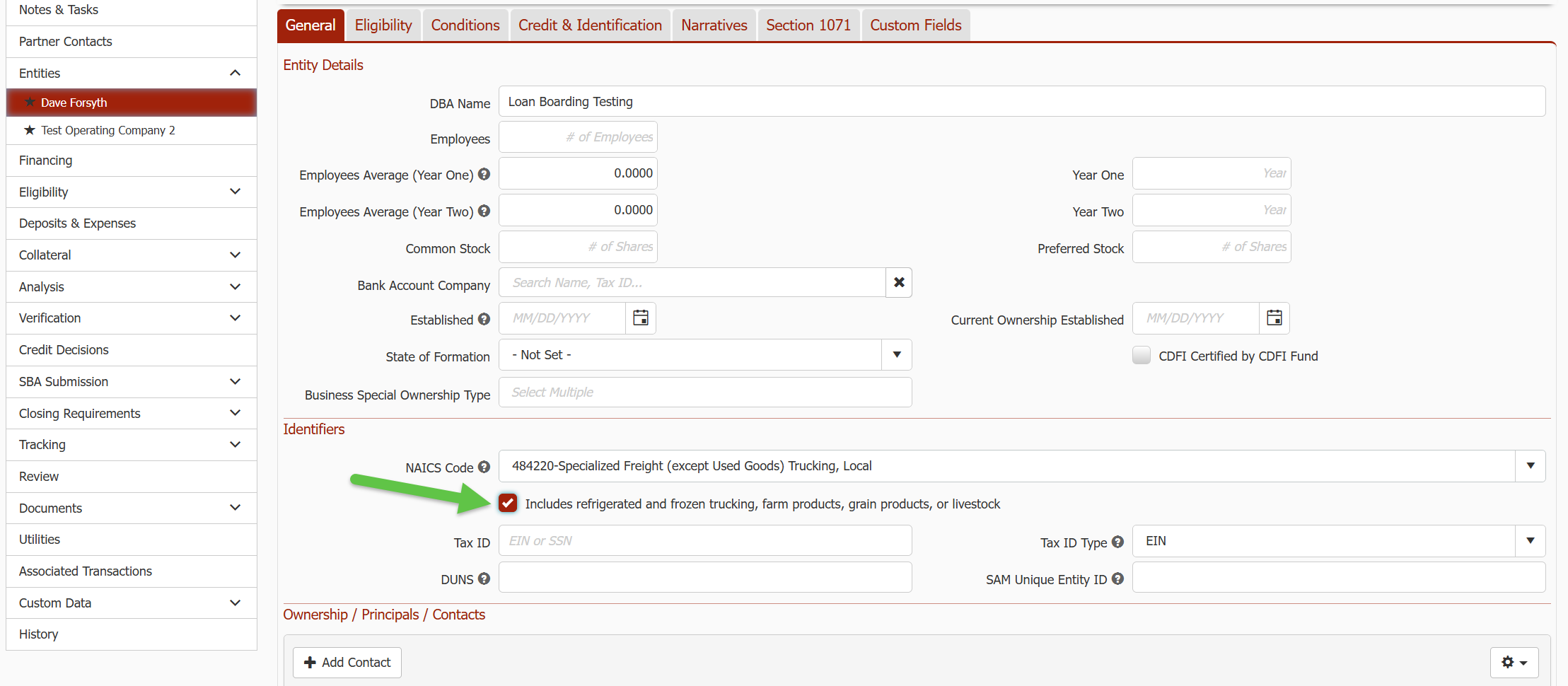
The new fees for FY2027 include benefits for Food Supply Chain borrowers. For a couple of the Food Supply Chain NAICS codes, only those that fit a special list qualify. NAICS 484220 and 484230 are limited to refrigerated and frozen trucking, farm products, grain products, and livestock. A new checkbox was added below the NAICS code field on the POC to capture that when either of those NAICS codes are selected.
Rural Area Determination
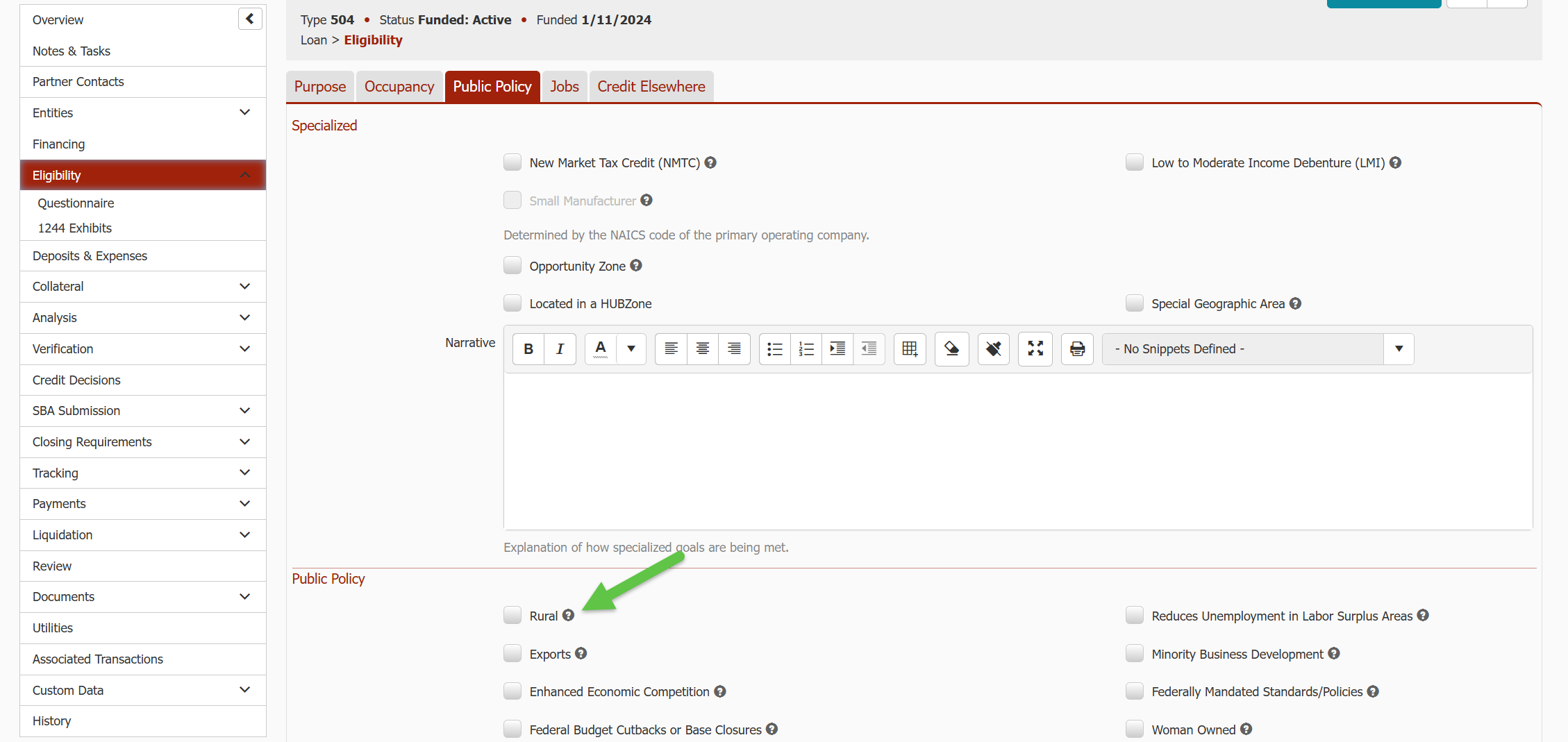
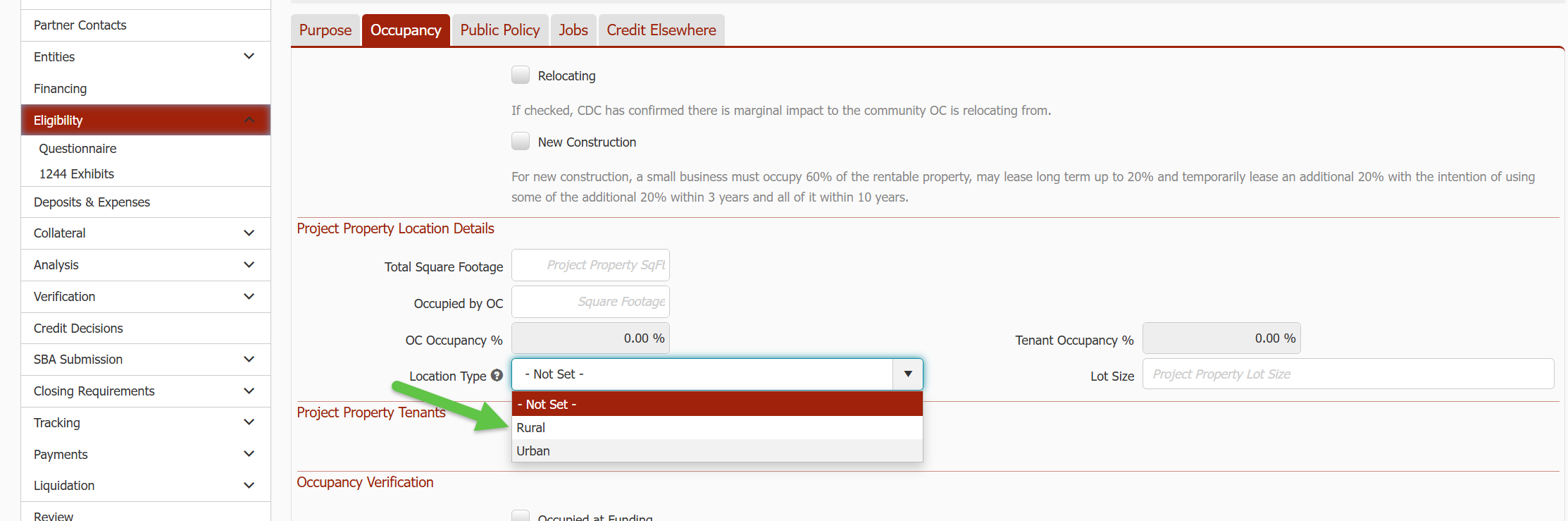
Businesses in a “rural area” will be determined the same way they have for SBA submissions before the fees change included special fees for rural borrowers. Look to the Rural (or "Located in Rural Area" on 7(a) loans) checkbox in Loan > Eligibility > Policy first. If that is not checked, check the Location Type in Loan > Eligibility > Occupancy for Rural. If neither indicate Rural, it will not be considered Rural for the purposes of setting a 0% fee.
SBA 504 TPL Financial Summary Analysis
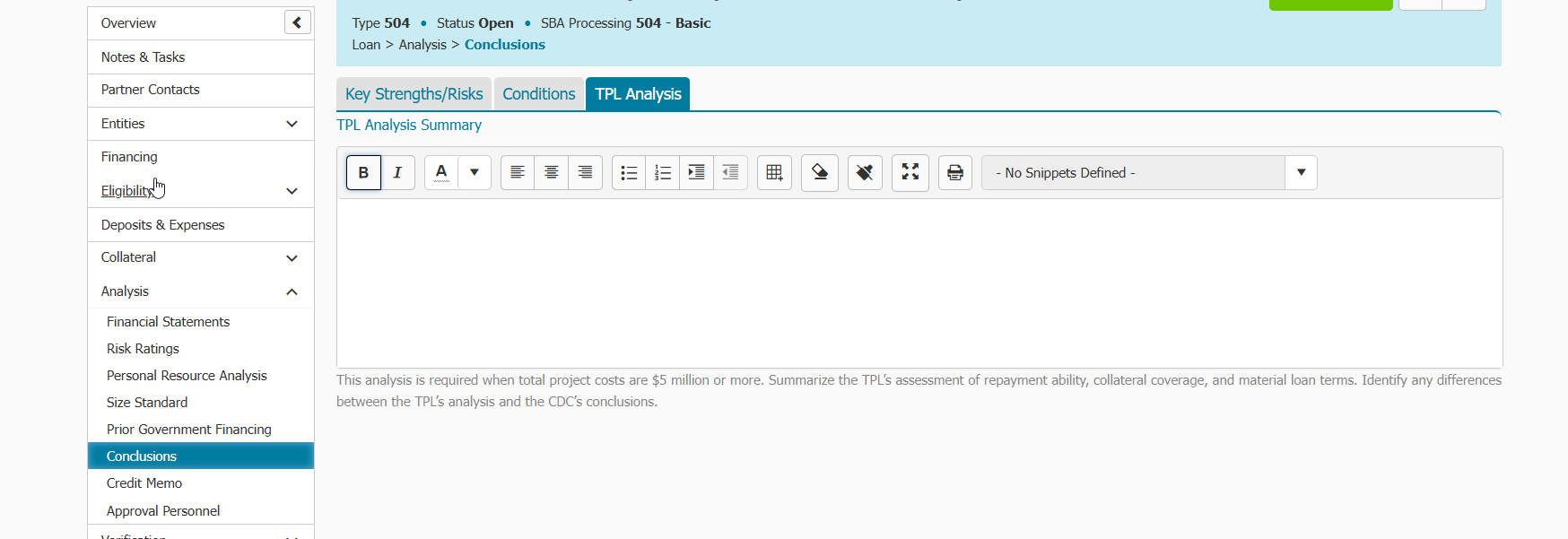
Ventures added a “TPL Analysis” tab and narrative section to Analysis > Conclusions menu in 504 category loans where you can summarize the TPL’s assessment of repayment ability, collateral coverage, and material loan terms. If you enter any information into the narrative box, it will be merged to the Conclusion's section of SLPC Credit Memo.
Financial History and Legal History Questions Can Now Be Auto filled
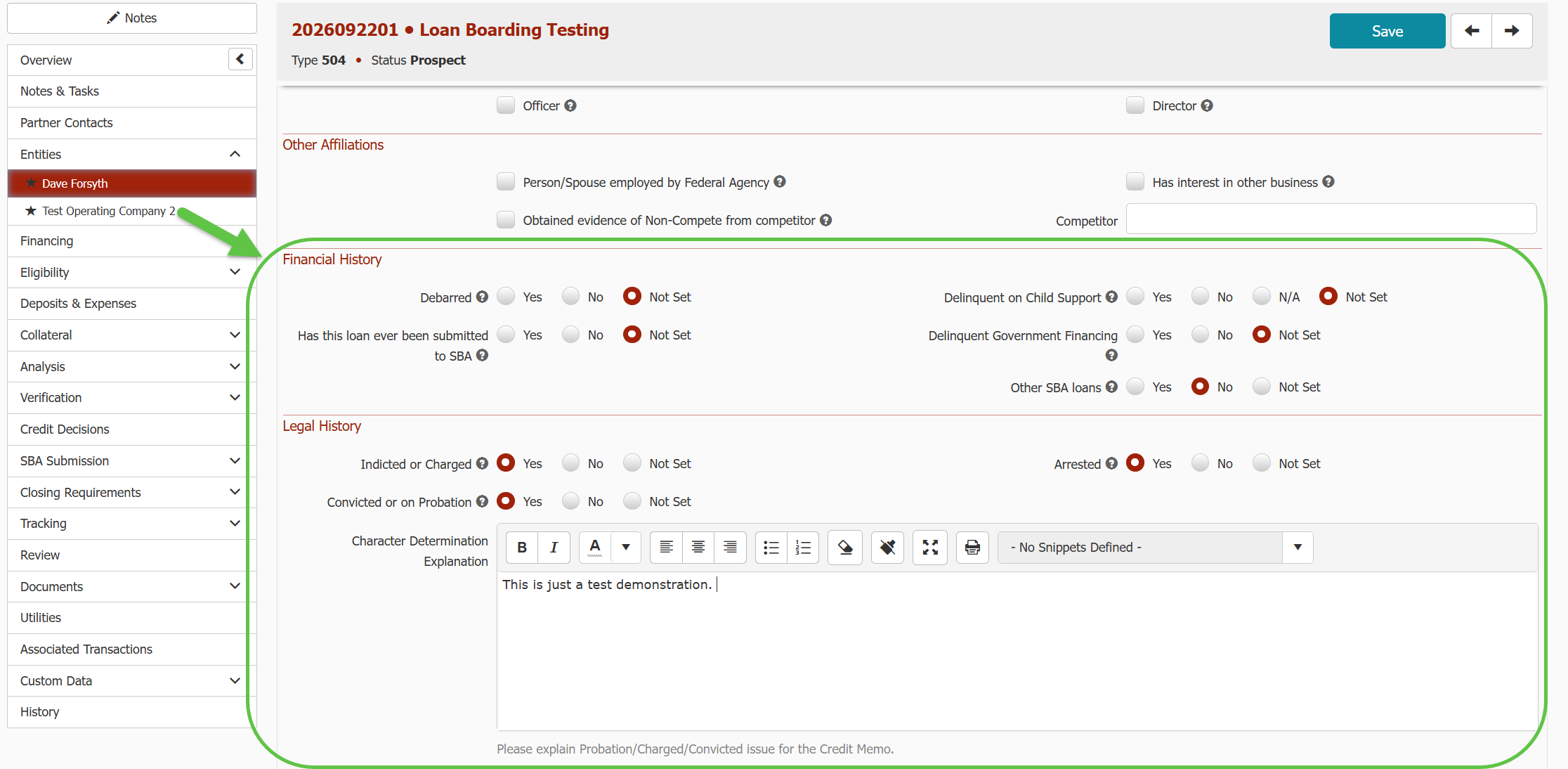
You can now save a contact's Financial History and Legal History answers once on the contact record. Ventures fills them in automatically each time you add that contact to a loan.
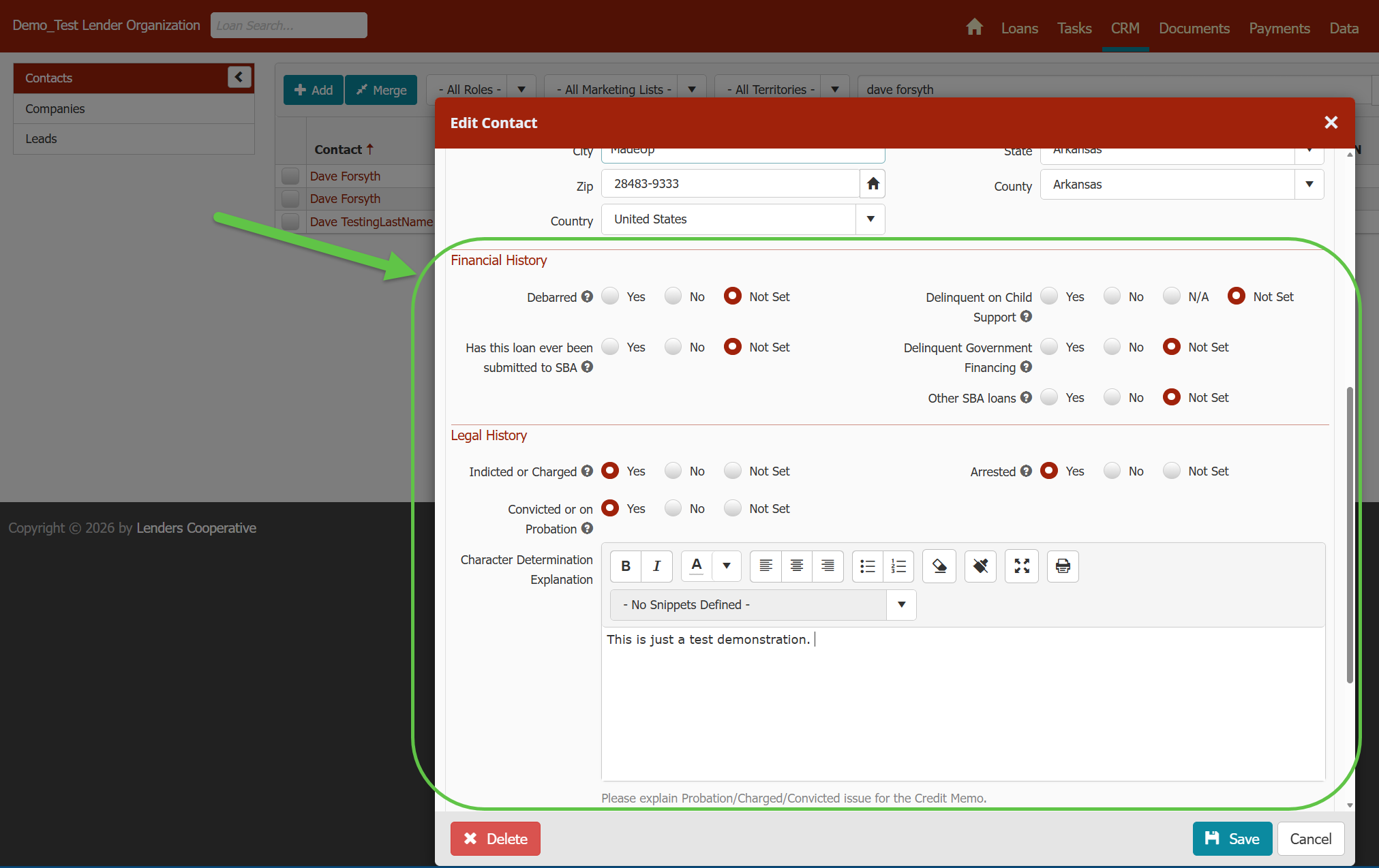
- Default answers on the contact. The contact record (Contacts > (select a Contact record) > General) now has Financial History questions and Legal History questions, including the explanation box that appears when a Legal History question is answered Yes.
- Autofill on new loans. Adding the contact to a loan, or as an owner of a company, pre-fills their answers from the contact record. This saves retyping for owners with several companies on an application or many loans.
- Loan-level control. You can still change any answer on a specific loan. That change applies only to that loan.
- Existing loans stay put. Editing the contact record only affects loans the contact is added to later. Loans they're already on don't change.
- Blank contacts fill themselves in. If the contact record has no answer for a question, the answer you save on a loan becomes the contact's default for future loans. Answers already on the contact are never overwritten from a loan.
PAYMENTS
New Late Fees Options
You can now choose how Ventures calculates late fees! Here's the KB article to learn more.
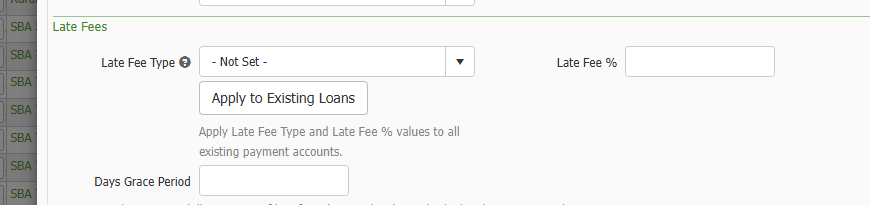
- New Late Fee Type field. Pick what your Late Fee % applies to:
- Percent of P&I Payment: the full scheduled P&I payment that is late
- Percent of Unpaid Latest Past Due P&I Payment: only the unpaid part of the latest past due payment
- Percent of All Past Due Unpaid P&I Payments: the total of the unpaid portion of every past due payment
- Not Set: no automatic late fee will be charged

- Defaults by loan type. Set Late Fee Type and Late Fee % per loan type in Admin (Gear icon > Reference > Loan > Loan Types > Payments Settings). New payment accounts pick them up automatically, and you can override them on any single account.
- Bulk update existing loans. A new Apply to Existing Loans button on the loan type pushes its Late Fee Type and Late Fee % to all of that loan type's payment accounts in one step.
- Import and API support. Late Fee Type, Late Fee Percent, Minimum Late Fee, Maximum Late Fee, and NSF Fee can now be set through the Payment Account Import and API.
- Reporting. Late Fee Type is available in the Payment Account group of Custom Reporting.
- Existing loans carried over. Loan types and payment accounts that already had a Late Fee % were given a matching Late Fee Type, so current late fee behavior is unchanged.