2026-09-23 Release Notes

Last updated: Sep 24, 2026
310
views


VENTURES
Financial History and Legal History Questions Can Now Be Auto filled
You can now save a contact's Financial History and Legal History answers once on the contact record. Ventures fills them in automatically each time you add that contact to a loan.
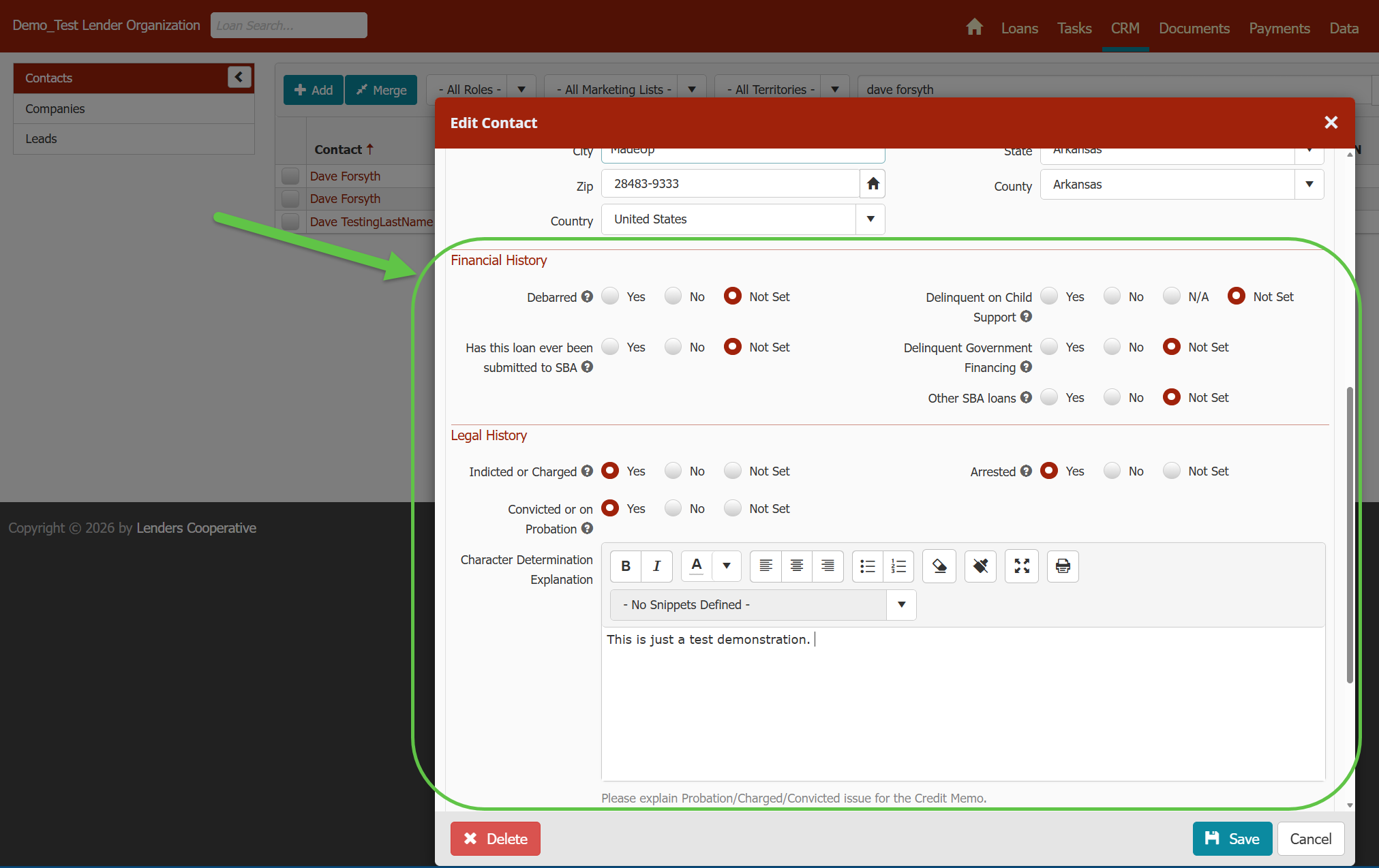
- Default answers on the contact. The contact record (Contacts > (select a Contact record) > General) now has Financial History questions and Legal History questions, including the explanation box that appears when a Legal History question is answered Yes.
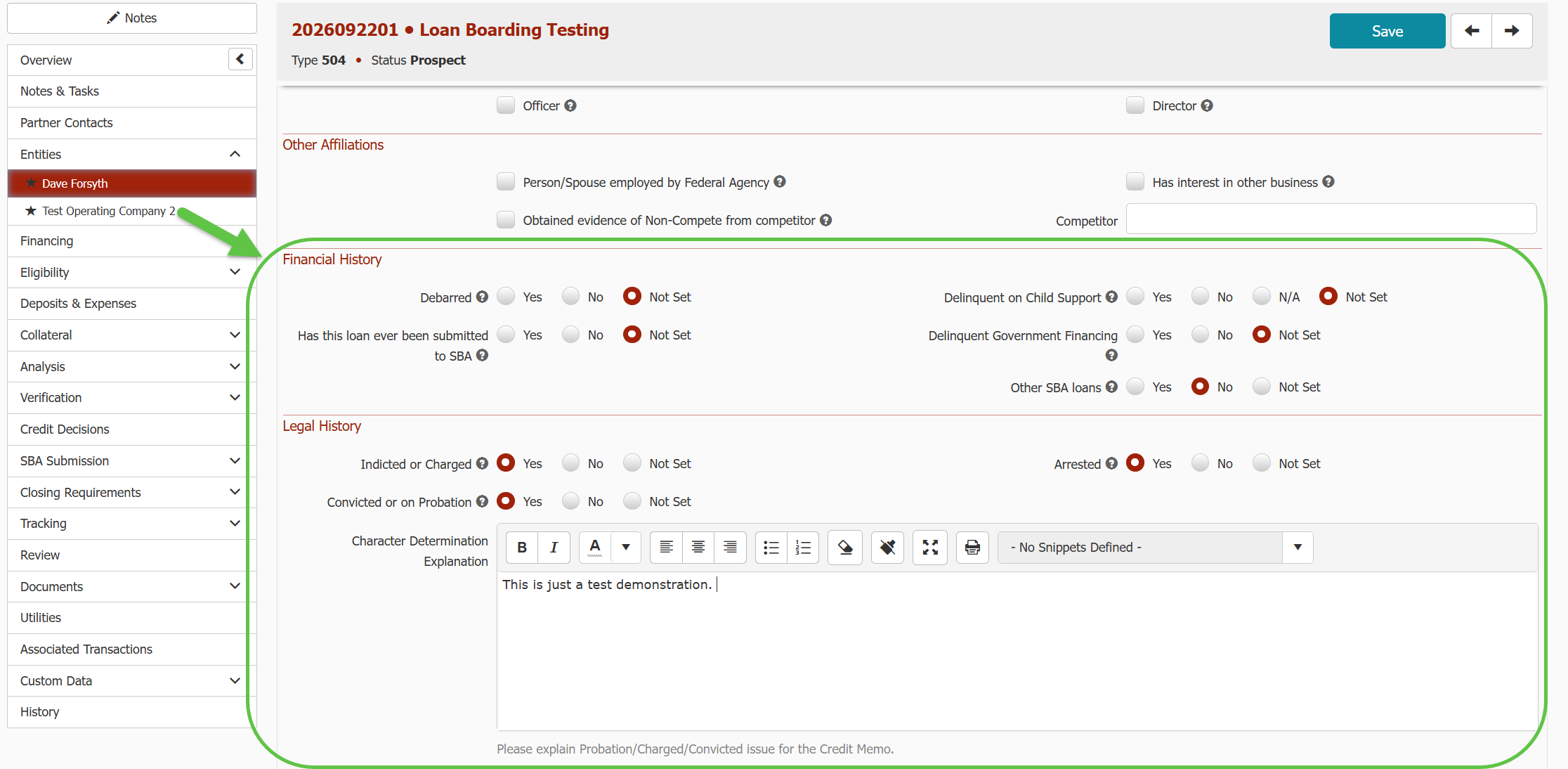
- Autofill on new loans. Adding the contact to a loan, or as an owner of a company, pre-fills their answers from the contact record. This saves retyping for owners with several companies on an application or many loans.
- Loan-level control. You can still change any answer on a specific loan. That change applies only to that loan.
- Existing loans stay put. Editing the contact record only affects loans the contact is added to later. Loans they're already on don't change.
- Blank contacts fill themselves in. If the contact record has no answer for a question, the answer you save on a loan becomes the contact's default for future loans. Answers already on the contact are never overwritten from a loan.
PAYMENTS
New Late Fees Options
You can now choose how Ventures calculates late fees! Here's the KB article to learn more.
- New Late Fee Type field. Pick what your Late Fee % applies to:
- Percent of P&I Payment: the full scheduled P&I payment that is late
- Percent of Unpaid Latest Past Due P&I Payment: only the unpaid part of the latest past due payment
- Percent of All Past Due Unpaid P&I Payments: the total of the unpaid portion of every past due payment
- Not Set: no automatic late fee will be charged

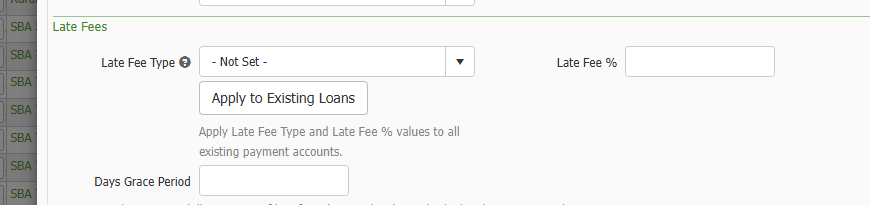
- Defaults by loan type. Set Late Fee Type and Late Fee % per loan type in Admin (Gear icon > Reference > Loan > Loan Types > Payments Settings). New payment accounts pick them up automatically, and you can override them on any single account.
- Bulk update existing loans. A new Apply to Existing Loans button on the loan type pushes its Late Fee Type and Late Fee % to all of that loan type's payment accounts in one step.
- Import and API support. Late Fee Type, Late Fee Percent, Minimum Late Fee, Maximum Late Fee, and NSF Fee can now be set through the Payment Account Import and API.
- Reporting. Late Fee Type is available in the Payment Account group of Custom Reporting.
- Existing loans carried over. Loan types and payment accounts that already had a Late Fee % were given a matching Late Fee Type, so current late fee behavior is unchanged.