


 61
61
Generating Report
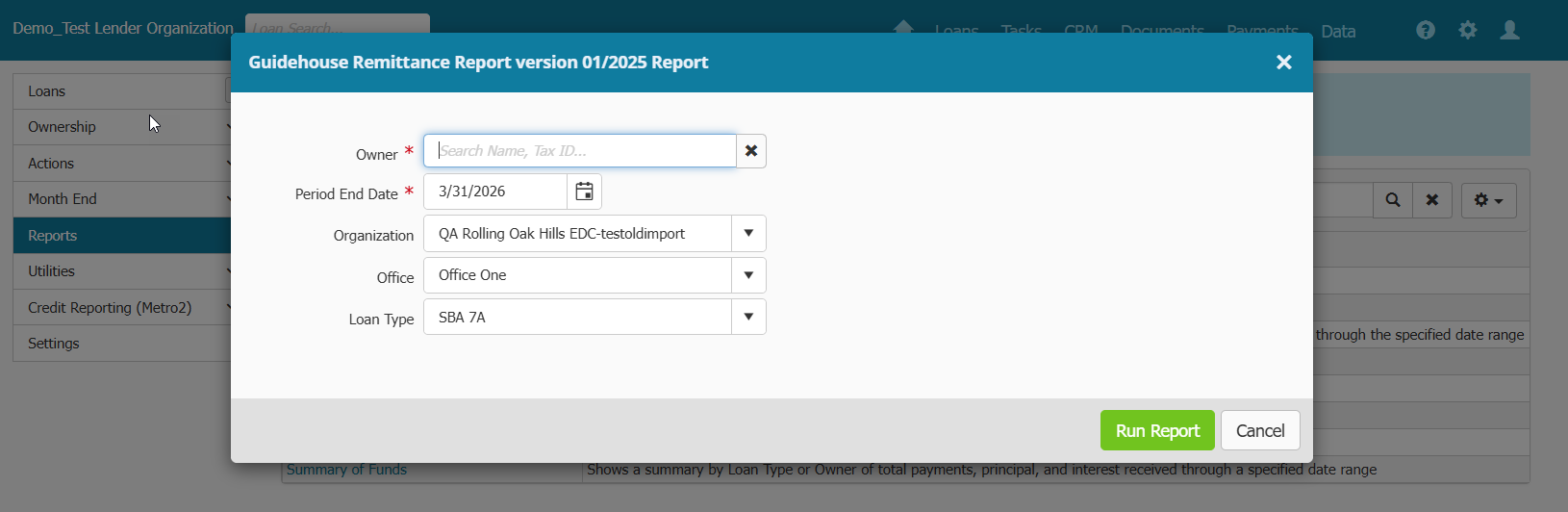
- In Payments main menu > Reports > Click on Guidehouse Remittance Report
- Select Owner (Owner selected will return records assigned to that Owner)
- Enter Period end date (Period end date will generate a Month End report)
Report Fields and Logic
- This is a Month End report
- The report will return information and values related to the unguaranteed portion of payment.
- Payment Accounts with a Sale - Unguaranteed Associated Transaction will not show up on report unless a payment or principal only payment has been made within the reporting period and the selected Owner during report generation matches the Owner of the Unguaranteed portion in the payment account.
| Report Column | Field/Logic | |
| SBA Loan Number | Loan > Overview Menu > SBA Loan Number field | |
| Next Installment Due Date | Next Due Date | |
| Loan Status Code | Manually set by user in generated report | |
| Amount Disbursed This Period | Disbursement Transactions made in period | |
| Interest Rate (%) | Interest Rate at time of payment | |
| Interest Payment | Unguaranteed interest portion of payment received LESS the servicing fee | |
| Principal Payment | Unguaranteed principal portion of payment received | |
| Interest Period to | Interest Paid to Date after payment posted | |
| Closing Balance | Unguaranteed principal closing balance | |
| Liquidation Proceeds |
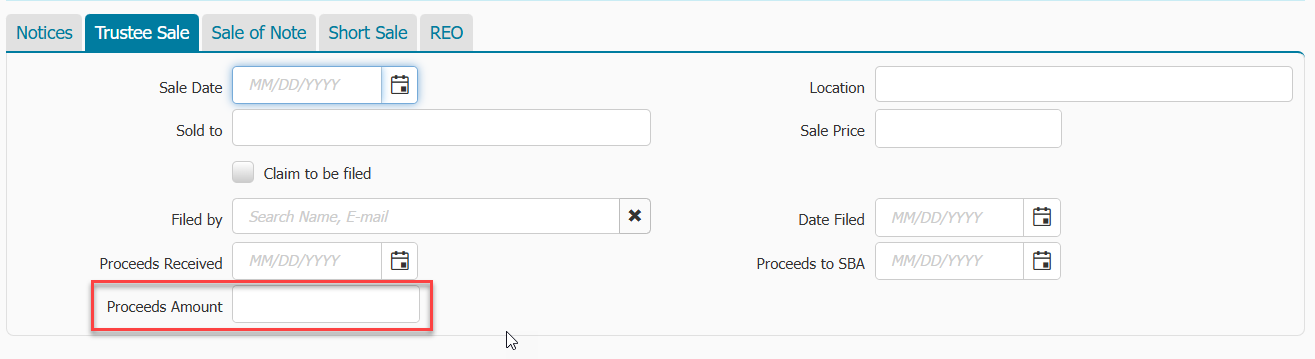
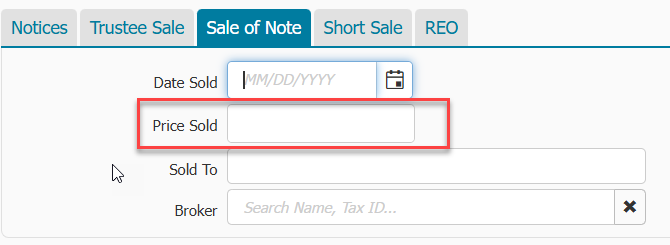
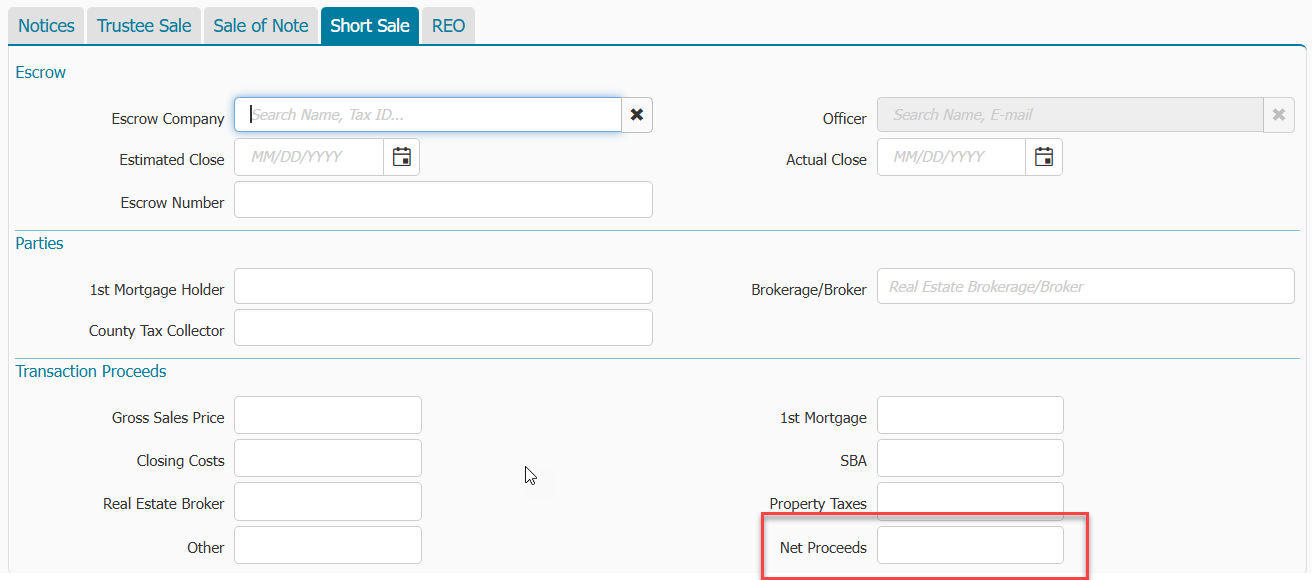
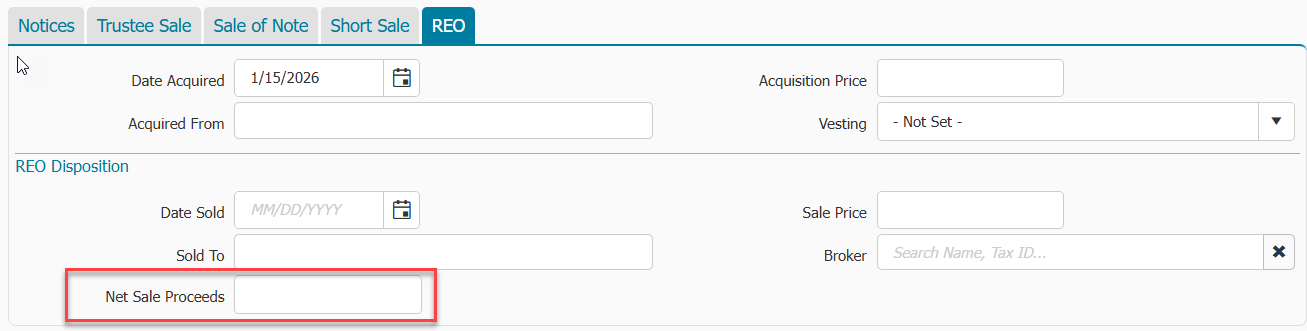
Loan > Liquidation > Actions & Events menu - Sum of Unguaranteed portion of each field below [Trustee Sale tab: Proceeds Amount] + [Sale of Note tab: Price Sold] + [Short Sale tab: Net Proceeds] + [REO tab: Net Sale Proceeds]
(This will be current amount at time of report generation)
|
|
|
Liquidation Date |
Loan > Overview > Liquidated Date |
|
| Subsequent Recoveries/Losses |
|
|
| Foreclosure Date |
Loan > Liquidation > Actions & Events > Trustee Sale > Sale Date |
|
| Bankruptcy Date |
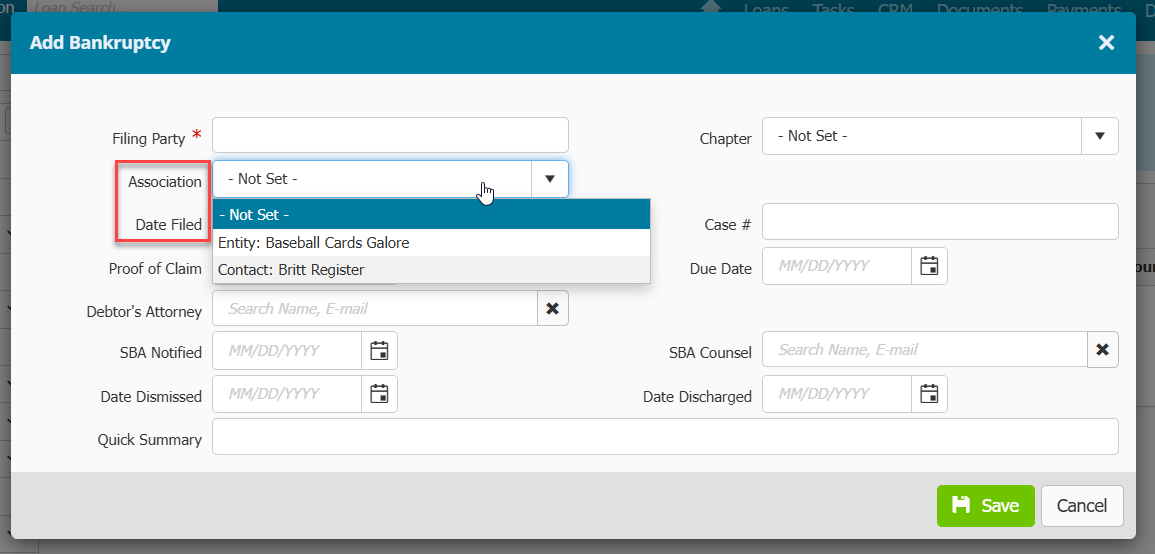
Loan > Liquidation > Bankruptcies > use Date Filed of most recent date where the Primary Operating Company (set by new Association field) is the Filing Party
|
|
| REO Date |
|
Adding a Sale-Unguaranteed Associated Transaction type
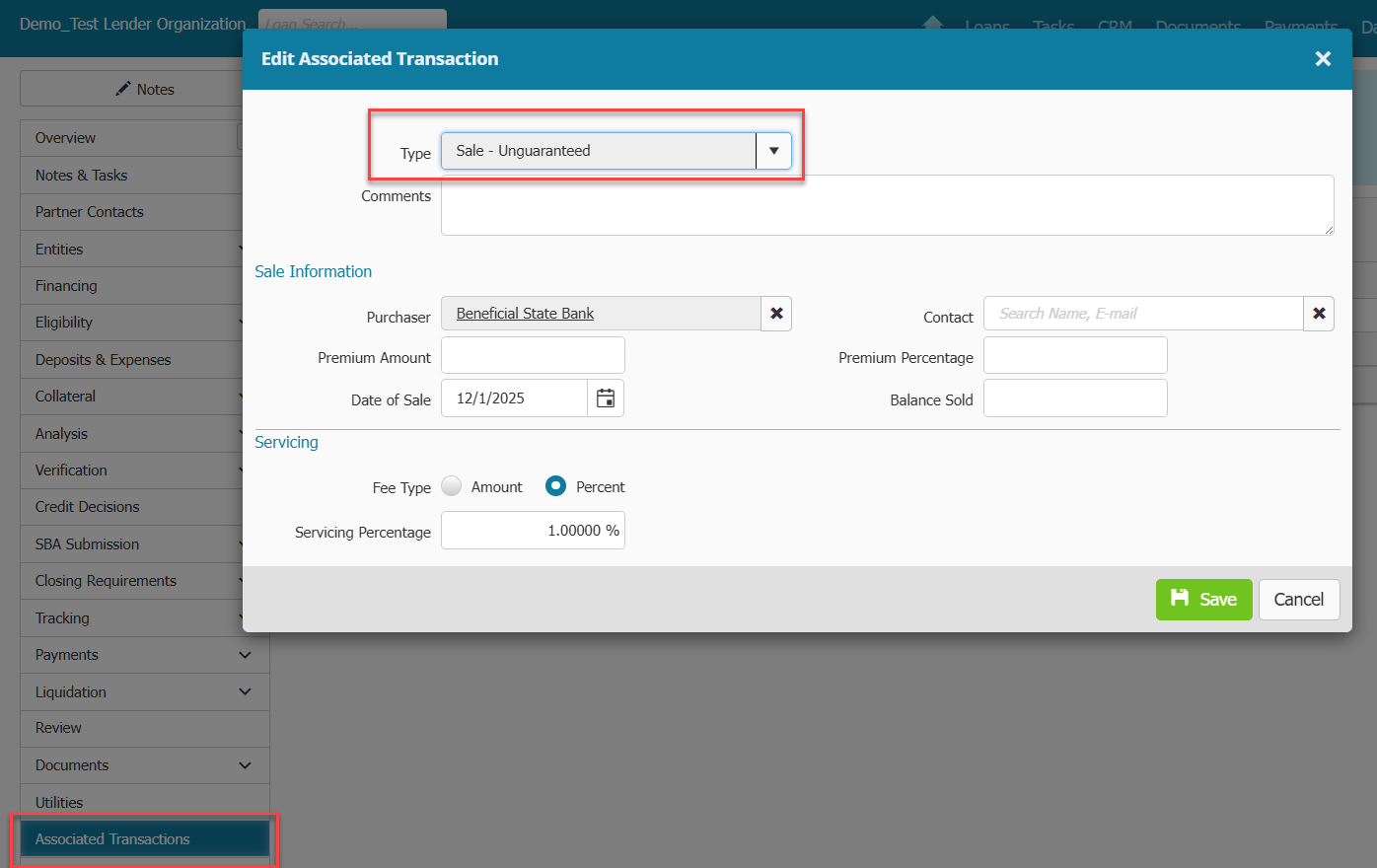
- Go to Associated Transaction menu within loan record
- Click Add+
- Select Sale-Unguaranteed type and save
- Click on hyperlinked record created and fill out Purchaser, Date of Sale and Servicing fee information
- Click Save
Adding an unguaranteed sale to Ownership menu
- Go to Payments > Ownership
- Click Change Ownership button
-
Select the correct owner/investor from the drop down menu
-
Enter Purchase Date
-
Enter Purchased Principal
-
The Interest Rate field will prepopulate with the current borrower interest rate. Leave this rate as is.
-
Enter Servicing fee %
-
Under Seller section, enter the Principal Sold . The field should match the field in the Buyer section
-
Click Change
What if a payment I am expecting to show up on the report, is not showing up?
The following has to be TRUE in order for your loan/payment to show on the report:
- It is a 7a category loan and has a boarded payment account
- It has an SBA loan number and SBA approval date
- The 1502 status is not Exclude from Report
- NOT been repurchased OR have been repurchased in this reporting period OR repurchased AFTER this reporting period (Based on Repurchase Date in Overview menu)
- NOT been put-out-of-portfolio OR have been put-out-of-portfolio in this reporting period OR put-out-of-portfolio AFTER this reporting period (Based on Out of Portfolio Date in Overview menu)
- There's an unguaranteed sale before the period end date to the owner with a servicing fee in Associated Transaction menu
-
The requirements for the transactions are:
- It's a payment or principal only payment
- It happens after the sale and in the reporting period

