


Metro2 Updates December 2025

Dec 03, 2025
 154
154
What's Changed?
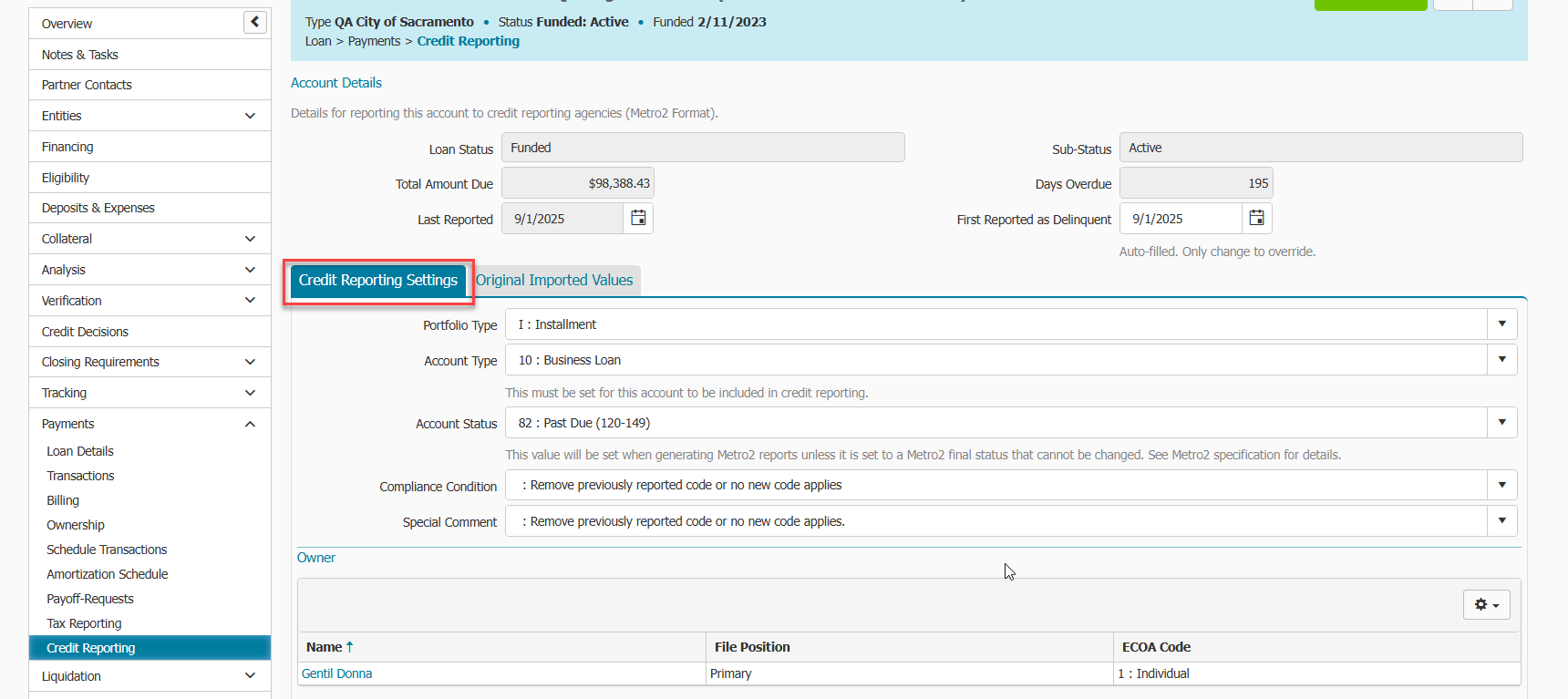
There have been several UI changes in the Payments > Credit Reporting menu within a loan record to make reporting choices clearer and more accurate.
- Added Portfolio Type with Installment and Line of Credit options. Previously, lenders could only report on Installment types.
- Based on Portfolio Type set, related Account Type statuses and Special Comment codes will be reflected in their respective dropdowns
- Moved previously labelled “Reporting Code” field was relabeled to “ECOA code” to be clearer.
- Provided the most recent version of ECOA descriptions for lenders to review via help text icon link.
- Moved “Consumer Info Indicator” dropdown field to be associated with each owner, by clicking on the owner’s hyperlinked name to access. ***We migrated the set Consumer Info Indicator, if any, on the Credit Report Settings tab to the primary file position owner. ***
- If ECOA Code T, Z, or X is reported to a consumer, the code and borrower will be reported on the next generated report. Any subsequent generated reports will no longer report the consumer.
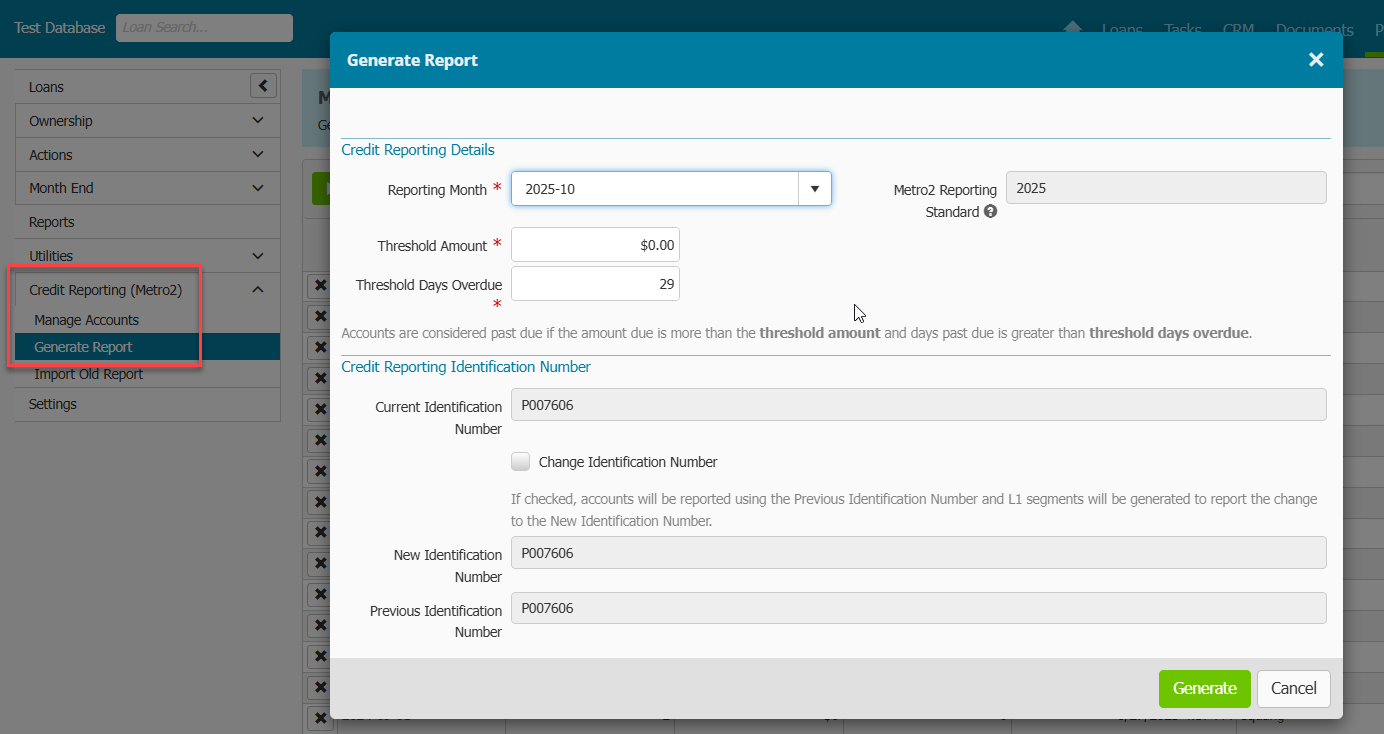
There have been several UI changes in the Payments main menu tab > Credit Reporting (Metro2) > Generate Report menu to make reporting choices clearer and more accurate.
- User now selects a Reporting Month when generating a report, instead of entering in a date. The Reporting Month selected would capture transactions and balances thru the last day of the month selected. Example: If the Reporting Month of May is selected, the generated report would capture the transactions and balances from 5/1 - 5/31.
- Threshold Days Overdue field defaults to 29 days. A user can override this, but we recommend leaving the default value. This means the report will consider any account 30 days or more past due.
- User can select Reporting Month up to 6 months prior, if those months have not previously been generated. Previously, the user had no restrictions.
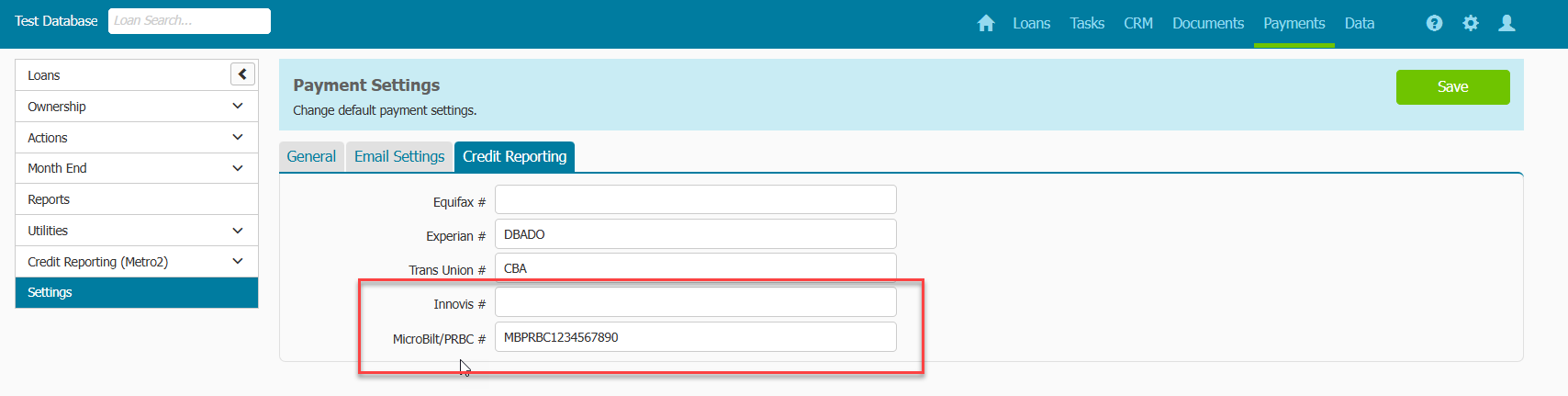
We have added credit reporting options with MicroBilt/PRBC and Innovis.
Lender Action
- If you have not set up payment accounts already to be included in credit reporting, set them up now using the instructions listed in KB article Payments Metro2 Credit Reporting Cheat Sheet.
- Make sure Account Status is correct for each payment account included in Credit Reporting BEFORE generating month-end report.
- Do not generate prior month-end reports, as they could have inaccurate data.
- Generate the current report for November and moving forward.
- Continue generating the month-end reports every month, and DO NOT skip months.

