


In Ventures, Site Administrators can configure SBA collateral type mappings by navigating to:
Administration > Reference > Collateral > Collateral Types
From this screen, administrators can either:
- Select + Add to create a new collateral type, or
- Edit an existing collateral type to configure how it maps to SBA collateral types within CAFS.
You can also find more details on this in the KB Article "Collateral Types".
Collateral Categories
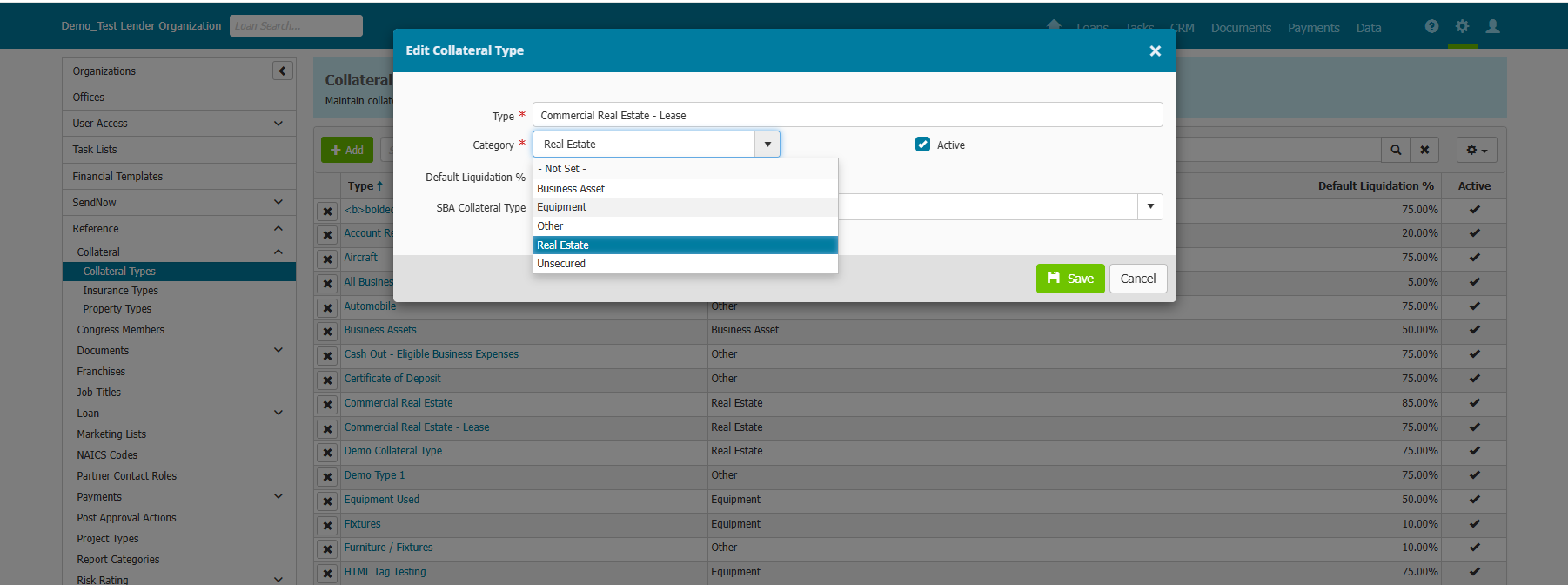
Each collateral type in Ventures must be assigned a Category. Available categories include:
- Business Asset
- Equipment
- Other
- Real Estate
- Unsecured
Administrators must also define the Default Liquidation % for the collateral type.
SBA Collateral Type Mapping
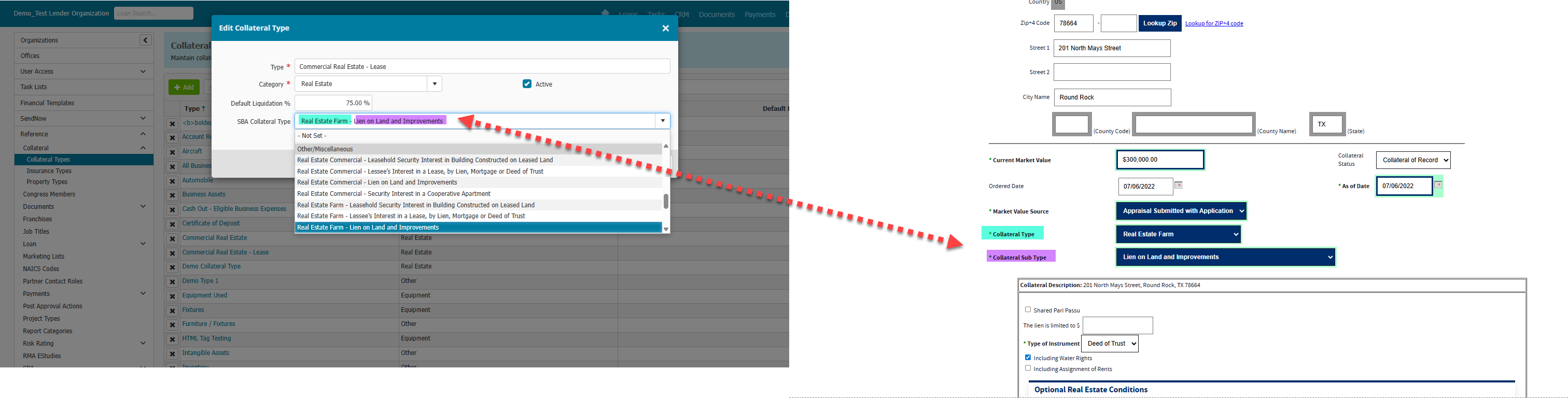
Ventures provides a dropdown menu of SBA Collateral Type options that correspond directly to the Collateral Type and Collateral Sub Type fields in CAFS. The selected combination will automatically map to those fields during SBA application creation.
Please note that Ventures does not currently include a Leasehold Improvement collateral type option. The available selections are based on the most commonly used collateral types among CDCs. There may be combinations you do not find available in more rare scenarios in which case you may select the best option that includes one half of the collateral and sub collateral type needed and finish the rest of the selection in CAFS.
If a loan includes Leasehold Improvement collateral, or another type or combination not available users must:
- Create the SBA application in Ventures as you normally would
- Access the collateral record directly in the SBA application in CAFS
- Verify and update the collateral selections as needed before submitting the loan and generating Terms and Conditions
Understanding the Mapping Structure
The SBA Collateral Type selection consists of two parts:
- The first portion maps to the Collateral Type field in CAFS
- The second portion maps to the Collateral Sub Type field in CAFS
For example:
- “Real Estate - Lien on Land and Improvements”
- Real Estate maps to the CAFS Collateral Type
- Lien on Land and Improvements maps to the CAFS Collateral Sub Type
Different SBA collateral type combinations will dynamically control which fields are displayed within the collateral record in Ventures.
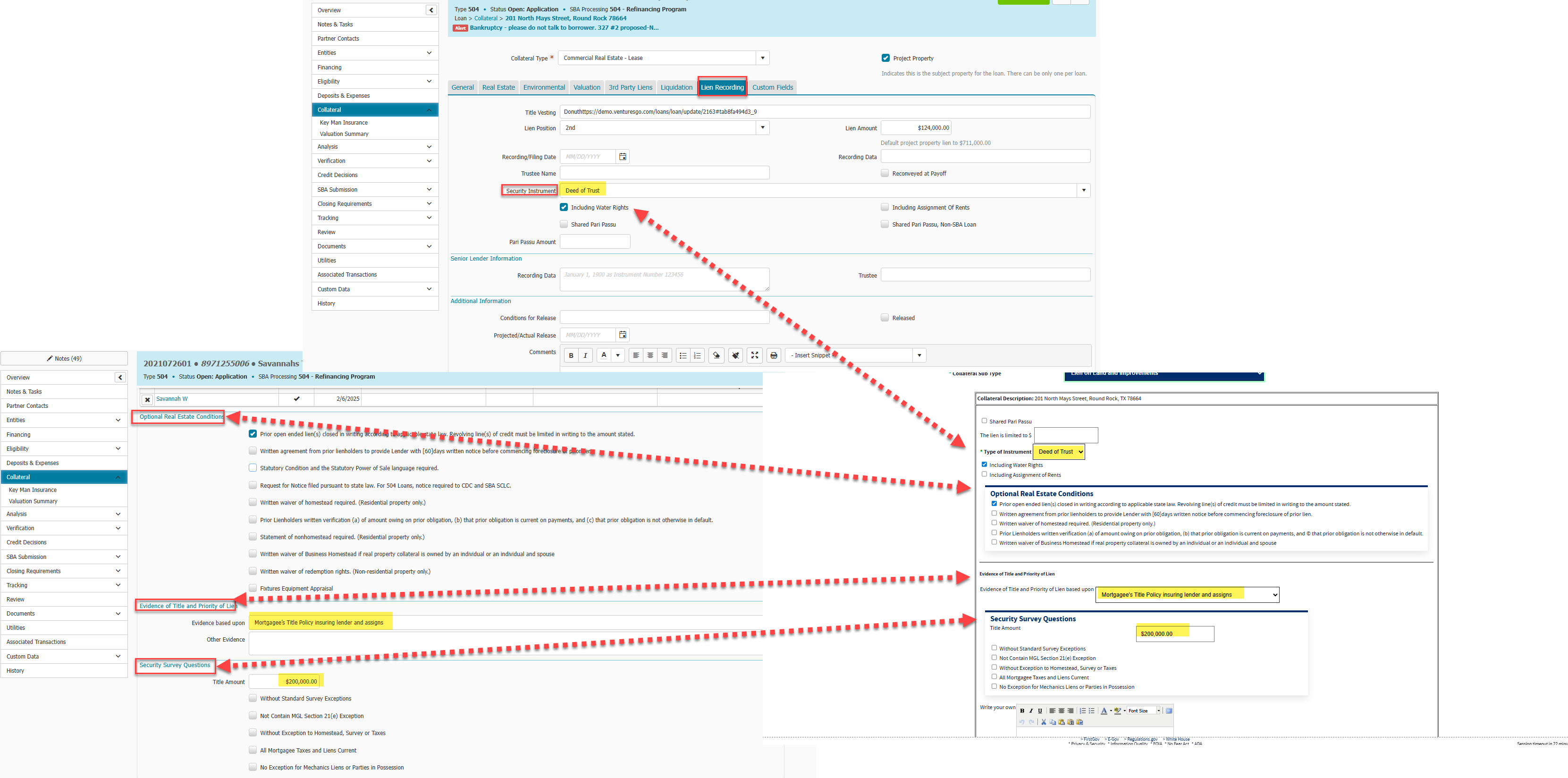
Within the Real Estate tab of a collateral record, the following sections may become available depending on the SBA Collateral Type selected in Administration:
- Optional Real Estate Conditions
- Evidence of Title and Priority if Lien
- Security Survey Questions
Additionally, within the collateral record’s Lien Recording tab, the following field is available:
- Security Instrument
These fields map directly to corresponding SBA collateral data fields in CAFS as shown below.
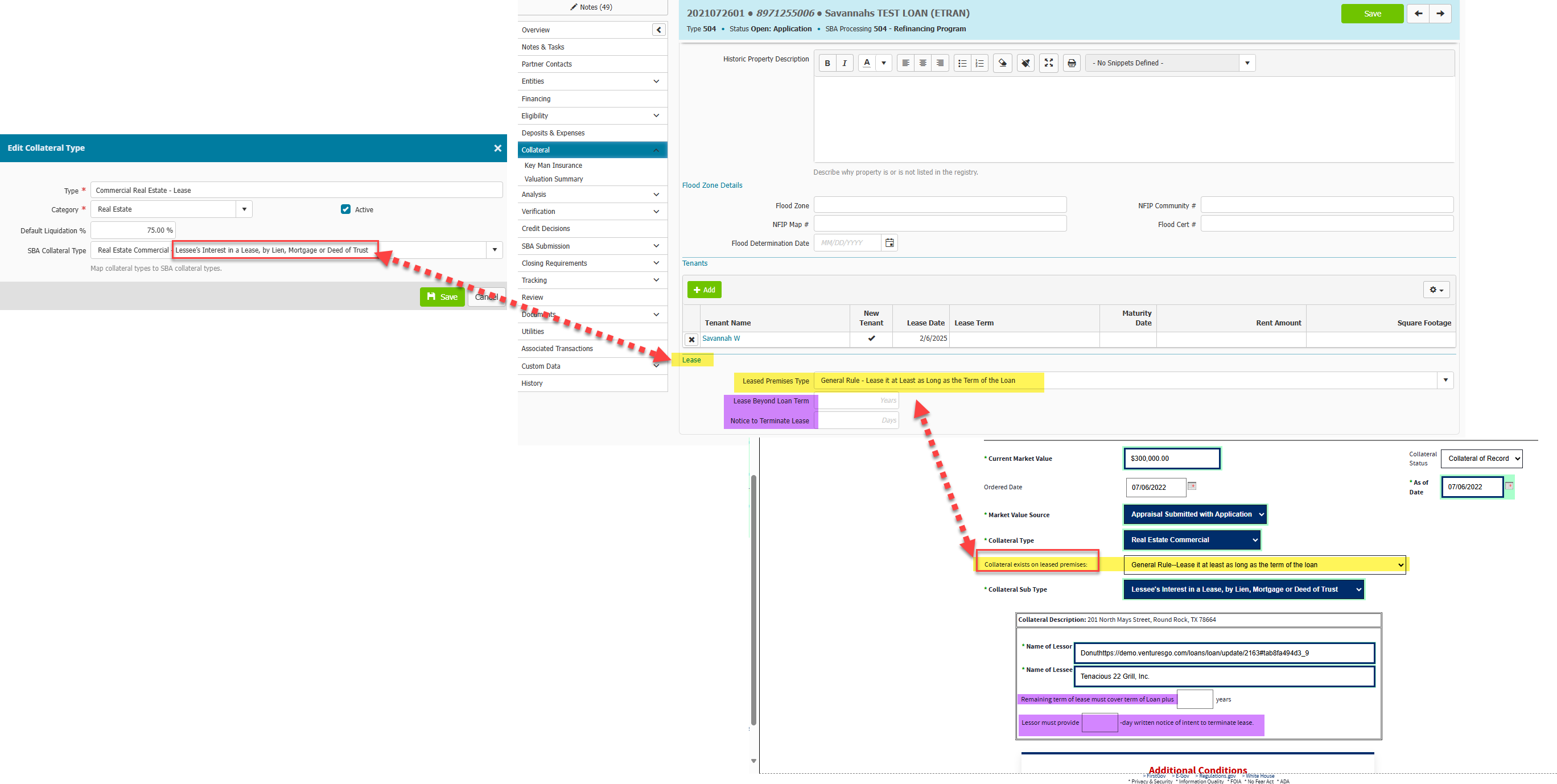
When an SBA Collateral Type containing: “Lessee’s Interest in a Lease, by Lien, Mortgage, or Deed of Trust” is selected in Administration, the available fields in the Real Estate tab will change accordingly.
A new Lease section becomes available within the collateral record "Real Estate" tab. The following Ventures fields map to SBA collateral fields as shown below:
| Ventures Field | SBA Field Mapping |
|---|---|
| Leased Premises Type -> | Collateral exists on leased premises |
| Lease Beyond Loan Term -> | Remaining term of lease must cover term of loan plus X years |
| Notice to Terminate Lease -> | Lessor must provide X-day written notice of intent to terminate lease |
If the SBA Collateral Type is left as "Not Set" since it is not a required field, the Real Estate Tab (If Real Estate is the chosen category) will still display the default selections as shown in CAFs which consist of the Flood Zone details, Historic Property description, and building description, size etc. along with:
- Optional Real Estate Conditions
- Evidence of Title and Priority if Lien
- Security Survey Questions
However the Category field is a required field and must be filled out for each Collateral Type in Ventures.

