124
124

VENTURES
NEW - Generate Amortization Schedules at Origination Stage
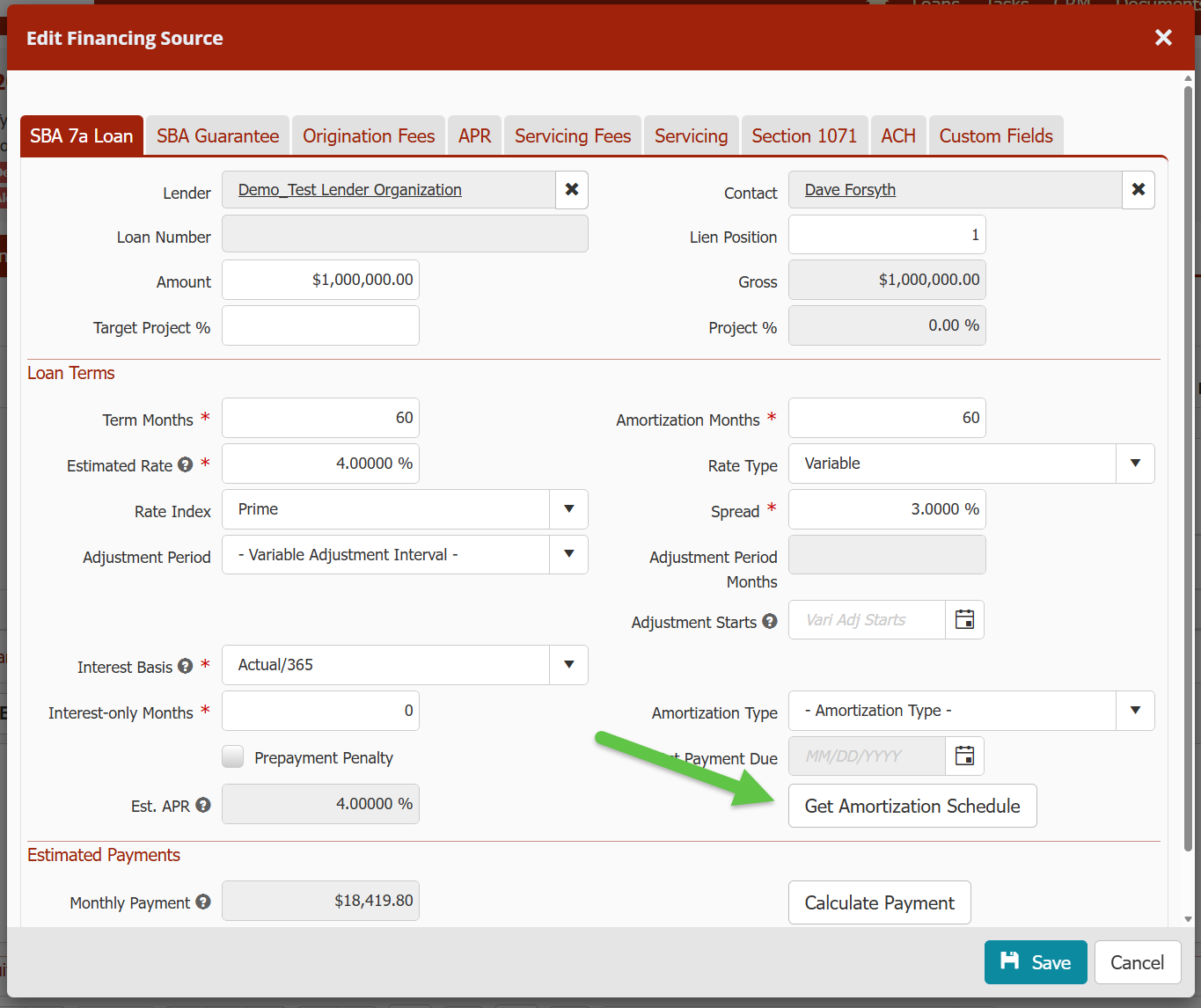
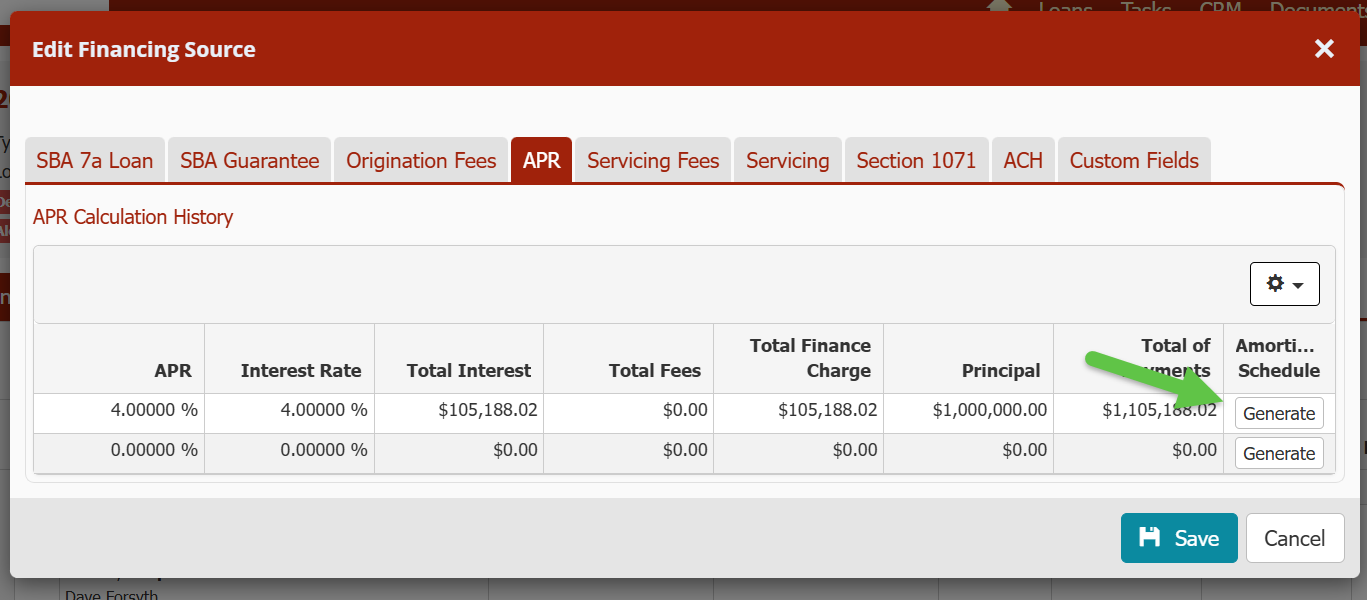
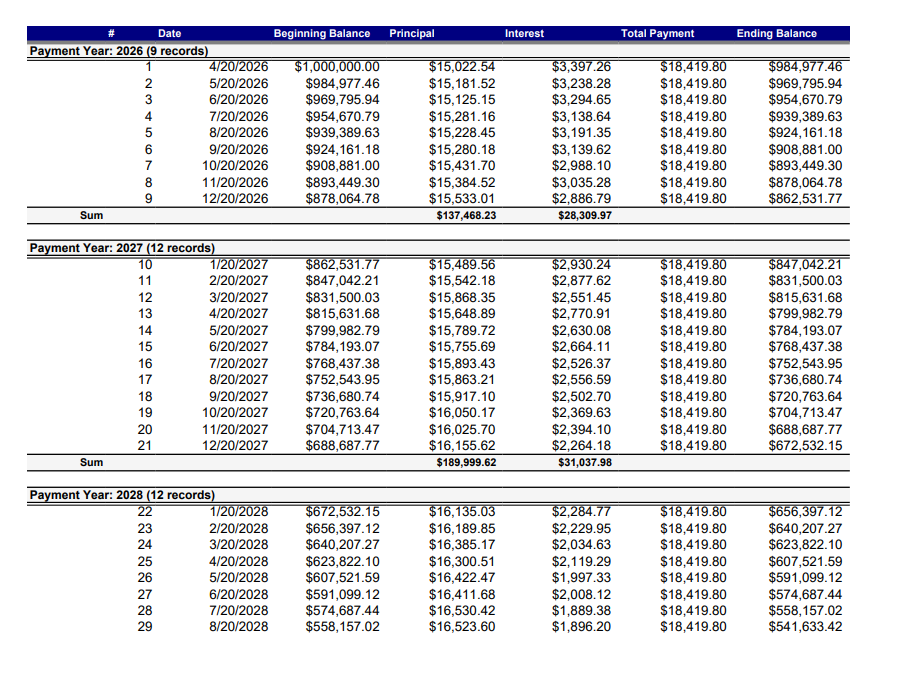
Amortization schedules can now be generated for financing records (exception: 504 Debenture records). You can either generate it on the Loan tab or on the APR tab.
API - Loan Boarding Updates
- Guaranty Percentage and Guaranty Fee have been added to both the Loan Financing object API and the Loan Create API. If either are set, the IsOverrideGovGuaranteeFee field on the financing source is set to true. If either are specified for a financing source that is not a 7a category loan type, an error is returned.
- The Create and Update methods of the Loan endpoint have been updated to allow setting the Loan Sub-Status. The Sub-Status is validated that it exists on your site, it valid for the Loan Status Type, and is Active.
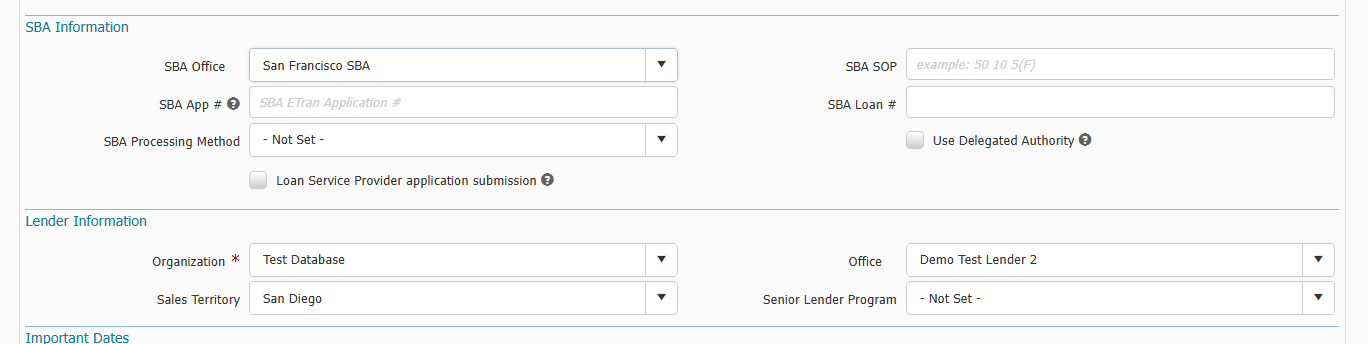
Loan Overview Office Fields Now Optional
SBA Office and Office fields in the Loan > Overview > SBA Information and Lender Information section are now optional fields to set when creating and updating a loan record in Ventures. Previously, they were required at loan creation or when trying to save data and they were not previously set.
New Fields in Liquidation Menu
We've added several new fields for 7a Category loans in the Loan > Liquidation menu.
- Loan > Liquidation > Actions & Events > Trustee Sale > "Proceeds Amount" field
- Loan > Liquidation > Actions & Events > Short Sale > "Net Proceeds" field
- Loan > Liquidation > Actions & Events > REO > "Net Sale Proceeds" field
- Loan > Liquidation > Bankruptcies menu > Add/Edit Bankruptcy > "Association" field. This is a dropdown of Entities and Entity Contacts from Entities menu of the loan. A lender can associated which Entities or Entity Contact the filer is associated with.
7(a) Lenders - ETRAN Related Updates
With recent SBA changes, we have made some updates to rate indexes and adjustment periods to be aware of.
- In the Financing menu > Financing Sources > Financing Source record > a new field called “Adjustment Period Months” was added. The field is locked until the user selects "Other" in "Adjustment Period" dropdown field. The user would then select the number of months for adjustment periods.
- 5 Year Treasury (T-Note) and 10 Year Treasury rate index types have been mapped to their appropriate ETRAN code. If you choose either of these rate indexes, then your "Adjustment Period" should be set to "Other" and your "Adjustment Period Months" should be equal to or greater than 12 months to avoid an ETRAN validation error. (Note - SOFR rate index type was already available and mapped previously)
PAYMENTS
Boarding Term Loans Before Disbursement
You can now board a payment account before an actual disbursement has been made. Previously, you had to disburse an amount greater than zero in order to board a payment account.
API - Payment Related Updates
- You can now post a Principal Only Payment Transaction type through the API. Previously, you could only post a Payment Transaction Type.
- You can now set the Days Grace Period for late payments when boarding or updating a payment account via API. Previously, you could not get, set or update the value.
- A “Change” custom operation was added to the PaymentsOwner API object type. This operation allows for one or more payment account owners to sell to a buyer, just as a Lender would record a sale in the Ventures UI.
Metro2 Credit Reporting Updates Publish updated instructions
What's changed?
-
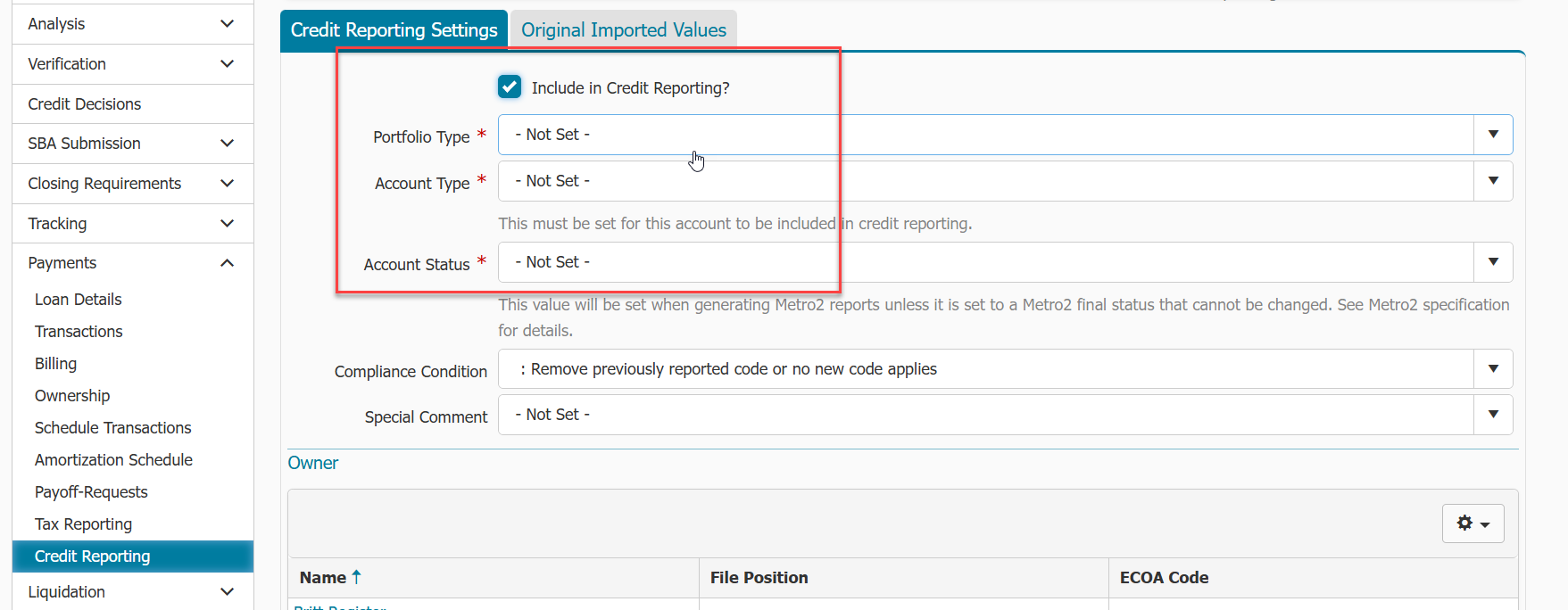
We have changed the way payment accounts are included or excluded from Credit Reporting in the Metro2 feature. Previously, you had to set BOTH Account Type and Account Status to be included. Moving forward, when adding new payment accounts to be included in Credit Reporting, you will want to follow these instructions Payments Metro2 Credit Reporting Cheat Sheet. You do not need to do anything to your current payment accounts set up for Credit Reporting. Ventures has marked these accounts to be included in Credit Reporting automatically.
-
Now, when you mark a payment account with a Paid in Full Account Status (Account Status 13, or 61-65) or DA/DF Account Status, the next report you generate will report that status, and then the account will automatically drop off future reports and mark the account to be excluded from future reporting. Previously, after setting those statuses and generating the report, you had to then manually remove the account from future reporting.
-