FYE2025 Job Impact Report (Non-Citizens)

Feb 04, 2026
 506
506
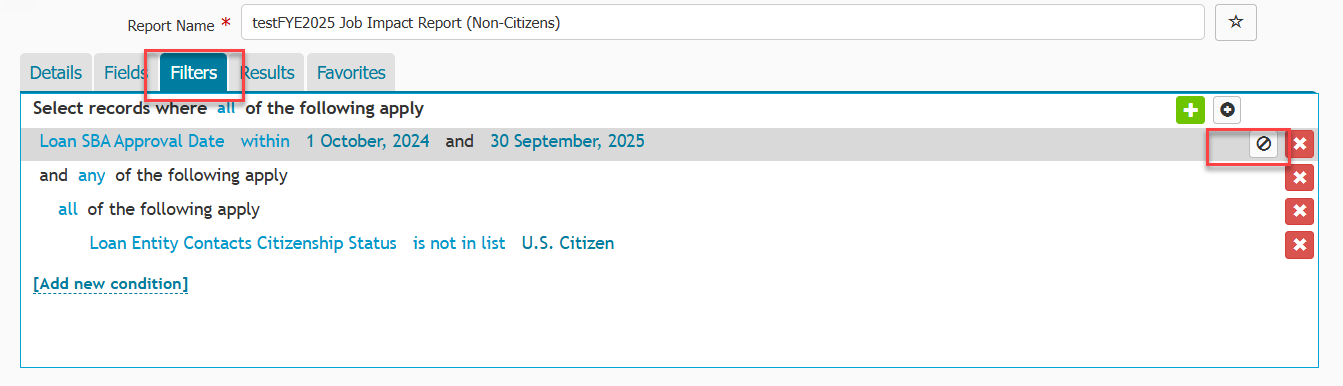
To access the FYE2025 Job Impact Report (Non-Citizens), click on the Data menu > Reports > Search "FYE2025 Job Impact Report (Non-Citizens)".

The report may generate multiple rows per loan record because each loan may include more than one entity contact that is a Non US Citizen. As a result, you will need to export the report to Excel and remove the duplicate rows associated with the same loan.
If you run the report and no results are returned, it is likely that your organization did not have any loans that met the Non-Citizen filter criteria for the selected timeframe. You can temporarily disable this filter and rerun the report by navigating to the Filter tab and clicking the block icon.