373
373
Overview of New CDFI Requirements
According to the CDFI Fund, new rules take effect for small business loan disclosures:
Starting January 1, 2026
New CDFI Applicants will be ineligible for CDFI Certification if they offer small business loan products without written disclosure of the following:
-
Periodic payment amount
-
Total amount to be repaid over the life of the loan
-
Total finance charges over the life of the loan
-
Annual Percentage Rate (APR)
By October 1, 2026
Existing Certified CDFIs must attest in their Annual Certification and Data Collection Report (ACR) that these disclosures are being made to maintain certification.
For additional details, refer to official CDFI Fund guidance.
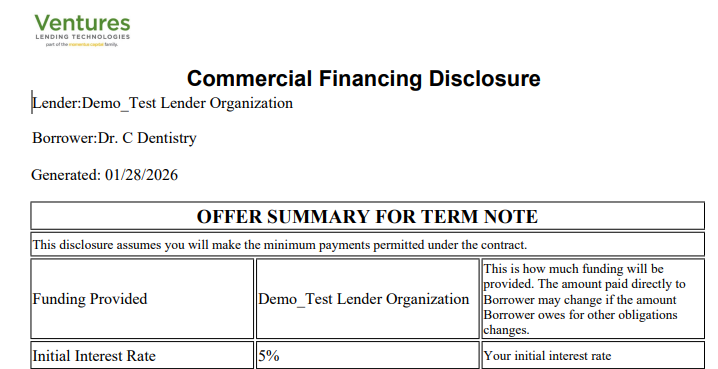
Ventures has published a system web template called "Commercial Financial Disclosure" for lenders to use.
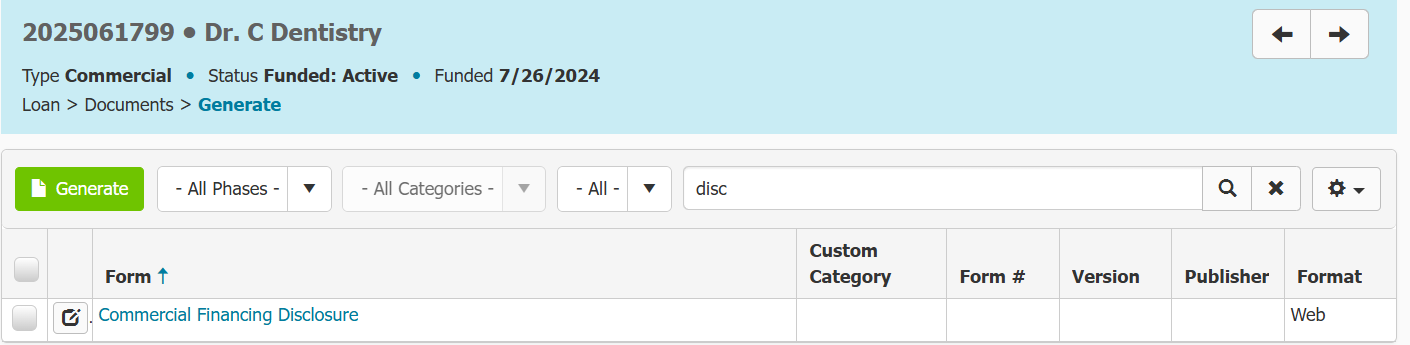
To access it navigate to Documents > Web Templates and search the document name. Or you can generate from within the loan (see below) by navigating to Documents >Generate >Search "Commercial Financial Disclosure".
How Ventures Supports Compliance
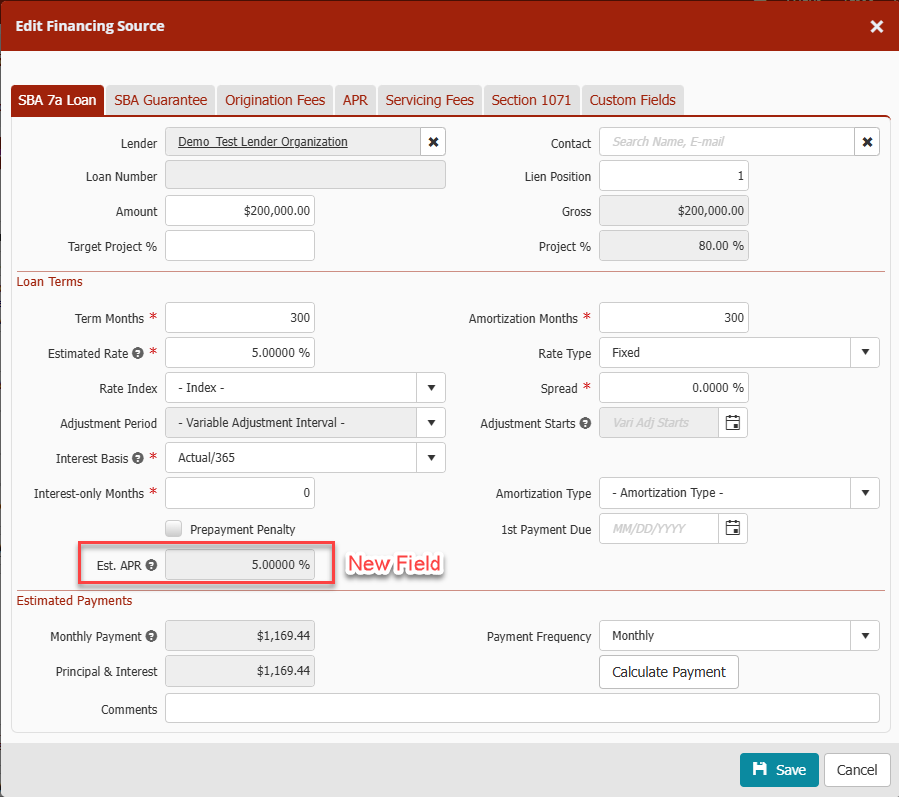
Ventures now includes APR (Annual Percentage Rate) calculation during the loan origination process, allowing lenders to disclose APR directly in loan documents and remain compliant with CDFI certification requirements.
Viewing the Estimated APR Field
-
Within the loan, navigate to the Financing Menu
-
Select the Financing Sources tab
-
Open a financing source record
-
Locate the “Est. APR” field
Please note: APR is not calculated on the 504 SBA Debenture record because it is not a loan booked by the CDFI and, therefore, does not require CDFI reporting.
Viewing the APR Calculation Breakdown
-
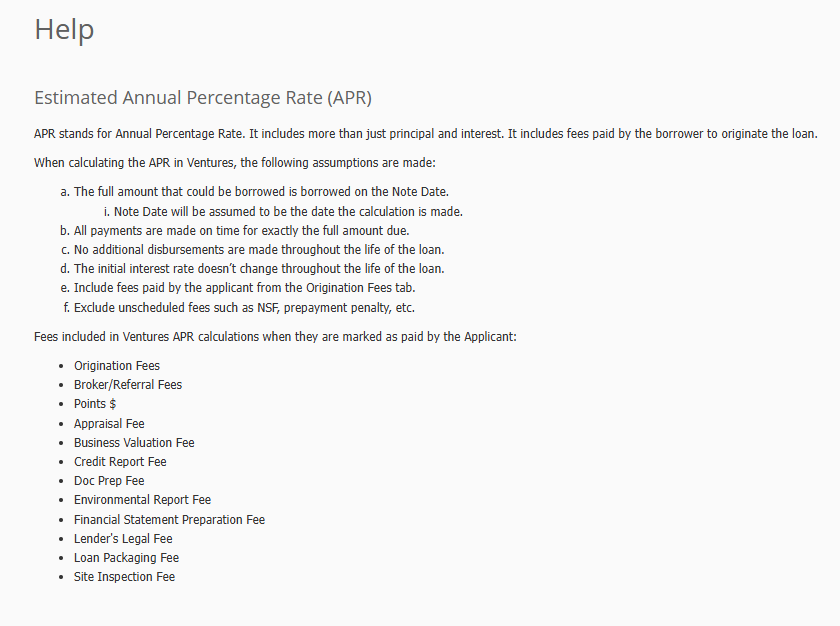
Click the question mark (?) help icon next to the Est. APR field to view a detailed explanation of how the APR is calculated.
-
If there are updates to any fees, or changes to the loan record remember to click on the Calculate Payment button within the Estimated Payments section to update the new monthly payment as well as the Est. APR field.
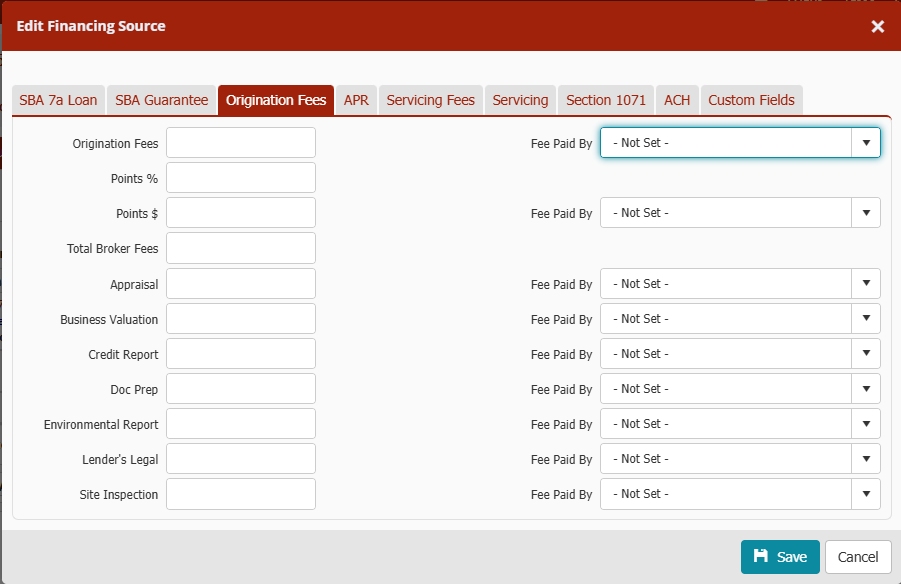
Origination Fees & Finance Charges
-
Navigate to the Origination Fees tab within the loan record
-
Review the new two-column layout displaying finance charges
-
Each fee includes a “Fee Paid By” dropdown with the following options:
-
Not Set
-
Applicant (default)
-
Lender
-
Important: Only fees marked as Paid by the Applicant are included in the APR calculation.
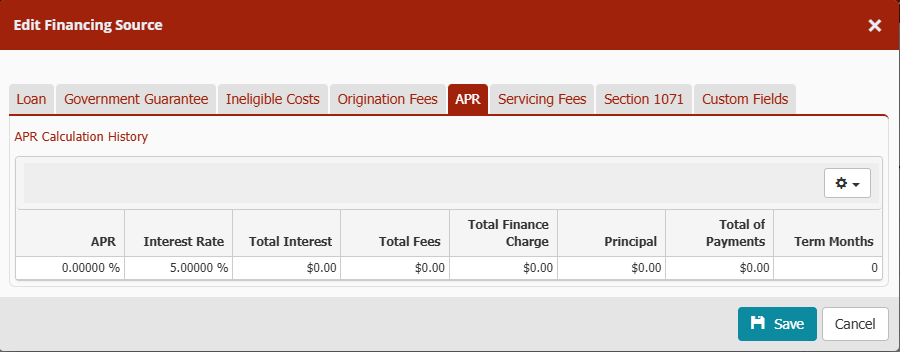
APR Calculation History
To view APR calculation details:
-
Open the loan record
-
Navigate to the APR tab
Customizing Visible Columns
-
Click the Gear Wheel in the upper-right corner to select any additional fields from the dropdown to display
7(a) Loans with a Referral Source
If a 7(a) loan has a Referral Source listed within Partner Contacts, the system will include the following fees in the APR calculation when they are marked as Paid by Applicant:
-
Loan Packaging Fee
-
Financial Statement Preparation Fee
-
Broker / Referral Services Fee
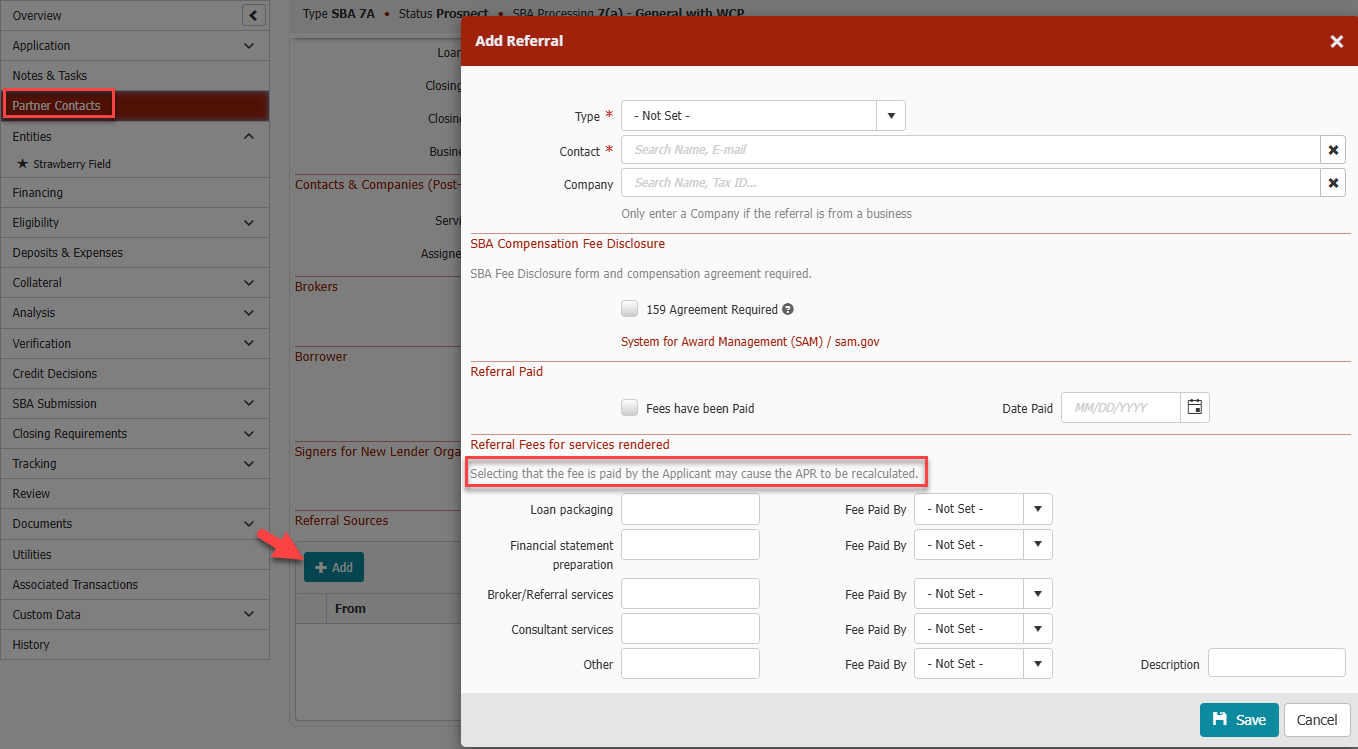
Only fees paid by the Applicant are included in the APR calculation.
All Other Loan Types
For all other loan types (excluding 504 SBA Debenture loans):
The system uses Total Broker Fees (within Financing Source > Origination Tab) in the APR calculation instead of Referral Source fees.
Web Template Merge Fields
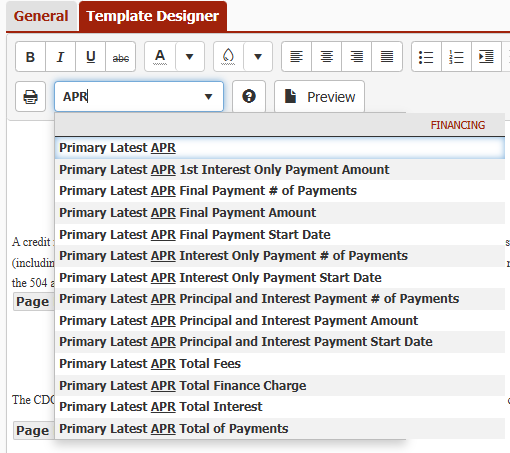
APR values are now available as merge fields in web templates:
-
Open or edit a web template by navigating to Documents > Web Templates
-
Navigate to Template Designer tab
-
Locate the APR-related merge fields by searching "APR" in the search bar
These fields pull data directly from the Loans Financing Menu to ensure accurate disclosures in documents.
Please note: The new Reporting fields and Web Template merge fields will show null values if used for 504 SBA Debenture records due to APR not being calculated for that type of financing source on 504 loans.
APR Fields in Custom Reports
APR data is available for reporting:
-
Navigate to Data> Reports
-
Open the Fields tab
-
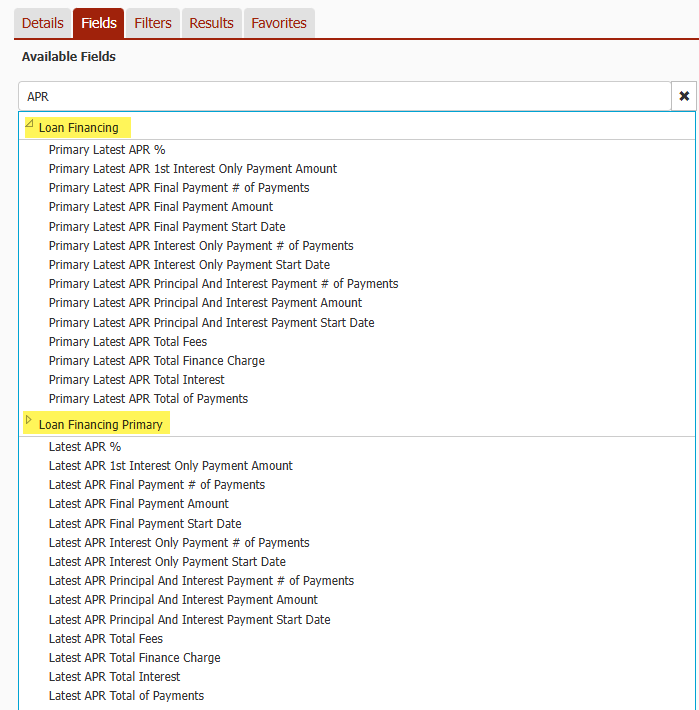
Search for “APR”, or browse:
-
Loan Financing
-
Loan Financing Primary
-
All available APR fields can be added to custom reports for compliance tracking and internal review.
Please note: The new Reporting fields and Web Template merge fields will show null values it used for 504 SBA Debenture records due to APR not being calculated for that type of financing source on 504 loans.